I want to copy a specific column, such as the Field Name column, to the clipboard by clicking the column header to select it and hitting CTRL+C.
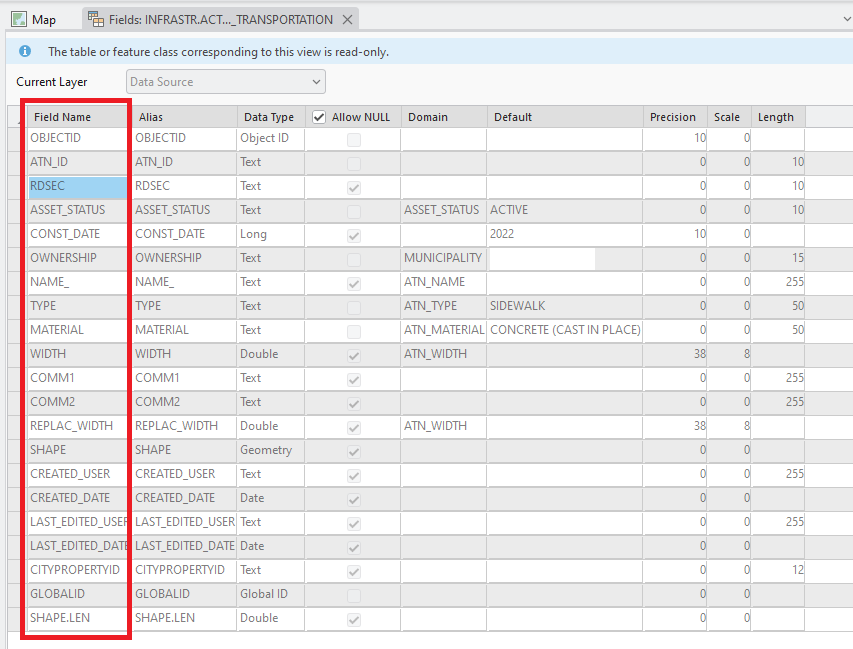
Currently, clicking the column header doesn't do anything.
And right-clicking the column header and clicking Copy doesn't work. Nothing gets copied to the clipboard. That might be a bug.
I'm aware that I can select the entire Fields View "table" by clicking the top left square of the table. But I want to only select a specific column and copy it.


