Good morning y'all!
I’m working on a new ArcGIS Hub site and am running into an issue with the Content Side Panel on newly created Hub sites after the most recent updates.
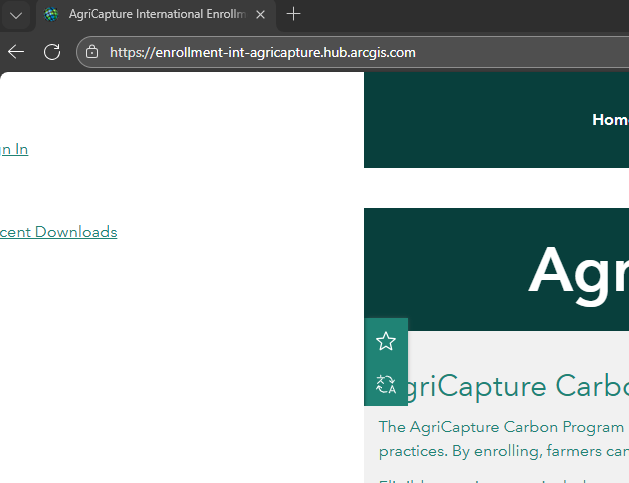
The problem I’m seeing is that the Content Side Panel does not collapse properly. It displays partially off-screen, and even when the collapse settings are enabled, the panel remains visible and cannot be collapsed.
What I’m seeing:
The Content Side Panel extends off the screen on initial load
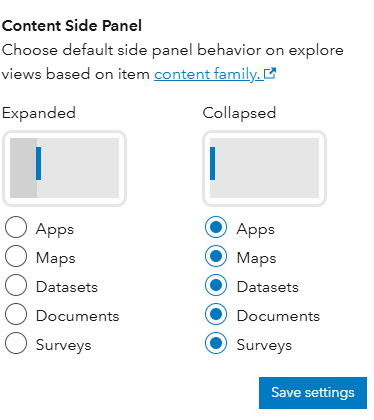
Collapse settings are turned on, but the panel still displays
There’s no way to collapse the panel unless I zoom out to less than 100%
I’ve included screenshots below showing:
Settings for Content Side Panel:
Deafult View when I open the HUB site. Note that the panel is showing off the display and there is no way to collapse it, unless I zoom out to <100%:
Hub Site is public right now
Has anyone else encountered this issue, or does anyone know how to resolve it? Any guidance would be greatly appreciated.
Thanks in advance!
-Meg

