Hi all.
I am trying to map indoor security cameras as a floor-aware hosted feature layer in my enterprise portal. I have a complete Indoors dataset (Facilities, Levels, Units, Details) that I want this camera layer to sit on top of. I want the editing of the camera dataset to be done in experience builder.
I thought that if the camera layer had a “LEVEL_ID” field, this field would be auto-populated based on where the editor placed the point (the active floor in the floor filter). This does not seem to be the case. It seems I must manually enter (copy/paste) the level ID string in order for the asset to be floor aware.
When I tried to set up a calculation rule within the “Configure Editing” form in Map Viewer, the Level ID field is not available for me to write a rule for since it's being used as the floor field for the asset layer! See pics below.
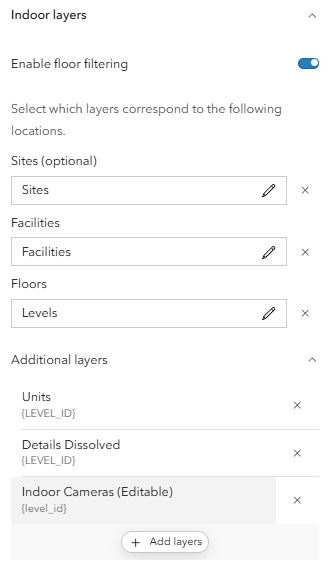
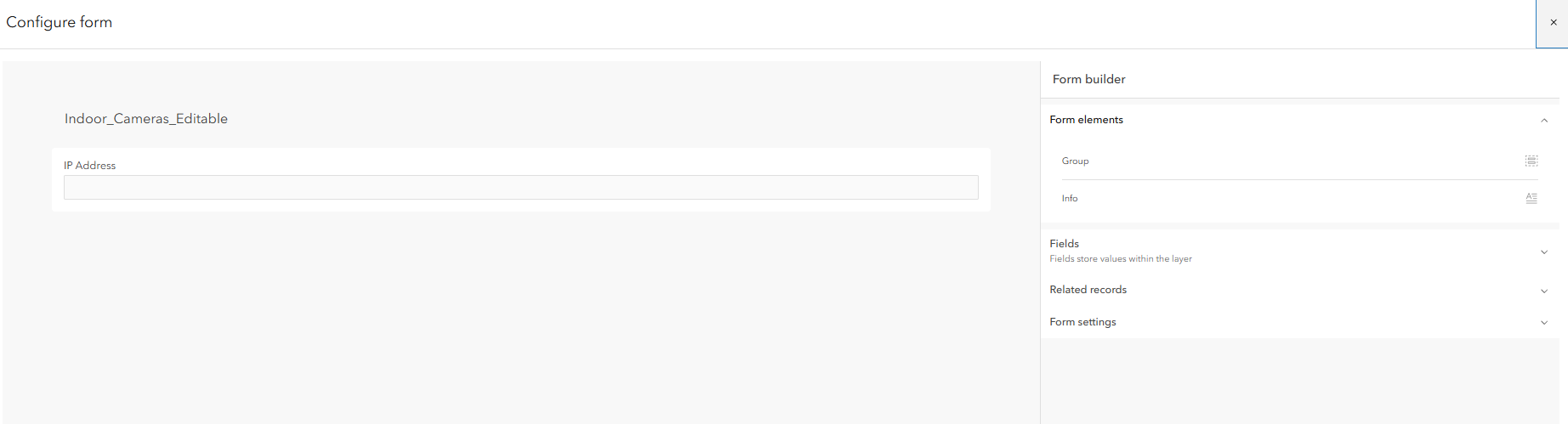
Does the camera layer need to be an enterprise feature service in order for the level ID to be auto-populated?





