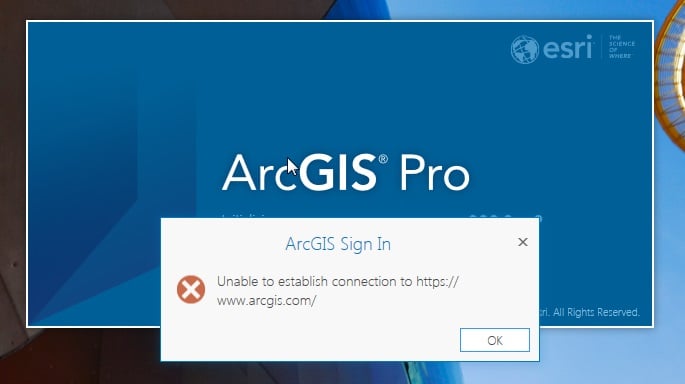
What happens with my ArcGIS Pro, when I start it I receive the following error:
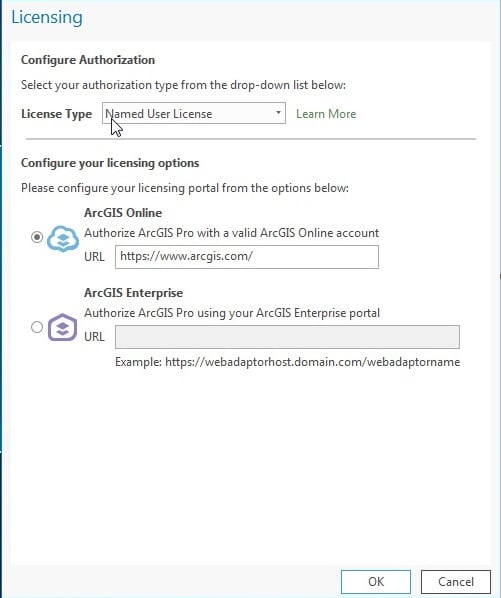
and after I click OK, it sends me the screen:
I tried to fix it by this way:
https://gis.stackexchange.com/questions/183730/unable-to-establish-connection-to-www-arcgis-com-from-arcgis-pro
but it is not work for me. my internet connection is no problem and I can access to www.arcgis.com but my arcgis pro can't start without those errors.
Could anyone can help me?
This would be better placed in the ArcGIS Pro space. Have you checked your Internet Explorer security settings?
https://knowledge.digicert.com/generalinformation/INFO3299.html
Make sure the Use TLS 1.2 option is checked...
I’m so grateful for your help. It was a challenging time for me but you made it easier. I'm so thankful for your help.
Just having the same problem, is anyone can point me the solution one more time? The old thread is an expired link.
I actually find the solution somewhere else and since the original solution link expired. I will put some quick steps for whoever might need this:
This most likely a windows machine only problem and you will need to go the IE browser (no edge, chrome, or firefox) --> Tools --> Internet Options --> Advanced --> Scroll down to the check the Use TLS 1.2 option --> restart the ArcGIS Pro
Another solution is click button 'Reset' in tab Advanced. In a computer with checked 'Use tls 1.2' there was same problem but with reset now it's OK.
Any idea why my Internet Options doesn't give me the Reset option? I have the Restore advanced settings but don't have that bottom portion at all
I did reset in internet options and enabled TLS 1.2 but still same error, arcgis pro 2,9 and making connections with arcgis online
Signed in members can post, follow updates, and more. New here? Register a free account.
Find useful guides, FAQs, and documents to help you navigate and make the most of Esri Community.