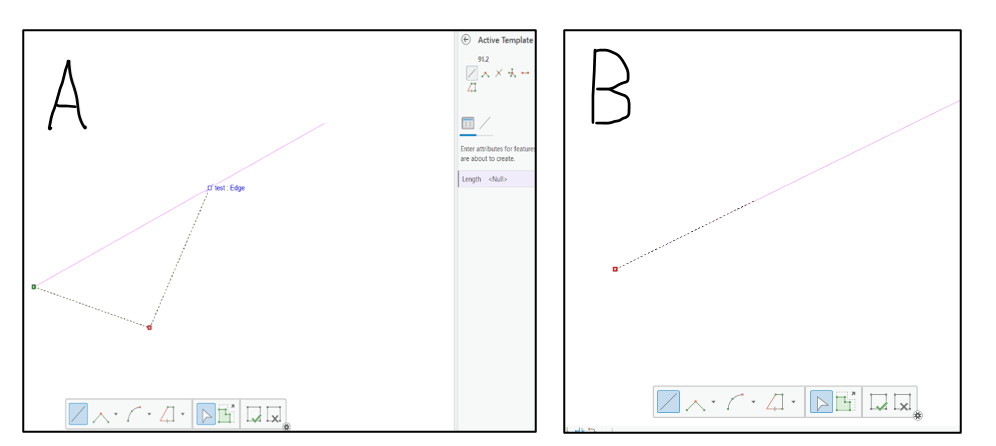
Creating a line feature in ArcPro with snapping on: My question is: when I create a line in ArcPro, with snapping on, I have the option when digitising to snap to any other part of the existing line network (excepting the piece I am digitising) – Pic A below left – you can see the snap “test edge” text. However, assume I have an existing line segment (100m long), and I want to digitise another line segment topologically on top of that segment, but only 50m long – so halfway (just an example). I can start by snapping my new line to the start vertex of the first line, and then I use the Distance option and input 50m to ensure my segment is 50m long – but as soon as I use either the Distance or Direction inputs, I am NOT able to snap to my existing line (Pic B below right – there is no snap option – and I am well within tolerance. Is there a reason why I cannot snap to a line using the Distance / Direction options. And yip, there are workarounds – but this seems odd to me. I have tried “all” the standard Create tool options. I might be wrong, but I seem to remember this was allowed in ArcMap 10.