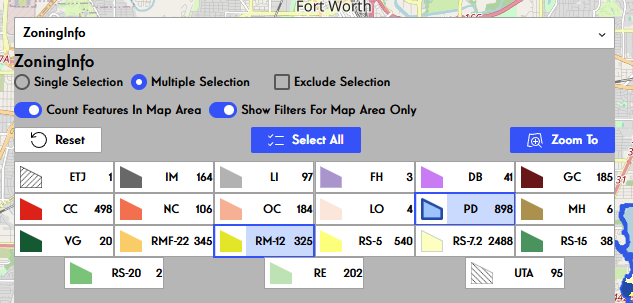
I am working on a Custom Filter Widget that takes a Feature Layer with a Unique Value Renderer and turns it into a set of filters that includes the Legend swatches. It works. I love it. I'll put it on Community soon. But it's not my end goal. I am trying to build a series of Widgets on top of it and I'm stuck on the technical challenge of finding the DataSource of a FeatureLayer at runtime.
The current goal is a Widget that contains a dropdown menu. The user selects a layer in it and it makes the filter. The closest version I have so far is to create a DataSource in the higher level Widget and then pass it down to the lower level Filter Widget. This will read all the necessary data from the FeatureLayer and handle map interactions, but it won't filter the data either on the Map or in a Table. I think I'm actually creating a duplicate of the existing DataSource and filtering that, but I haven't found a way to grab the existing DataSource directly.
Here's my current code to create a DataSource in the wrapping Widget:
const fetchDataSourceJson = async (dsId: string, layer: object): Promise<IMDataSourceJson> => {
	const dsJson = await dataSourceJsonCreator.createDataSourceJsonByJSAPILayer(dsId, layer)
	return dsJson
}

const createDataSource = async (dsId: string, layer: object): Promise<DataSource> => {
	const dsJson = await fetchDataSourceJson(dsId, layer)
	const dsOptions: FeatureLayerDataSourceConstructorOptions = {
		id: dsId,
		dataSourceJson: dsJson
	}
	return DataSourceManager.getInstance().createDataSource(dsOptions)
}

const getDataSources = () => {
	const featureLayers = []
	const allLayers = jimuMapView.view.map.layers
	allLayers.forEach( async layer => {
		if (layer.type === 'feature') {
			console.log(layer)
			if (layer.renderer?.uniqueValueInfos) {
				const ds = await createDataSource(layer.id, layer)
				ds.layer = layer
				console.log(ds)
				featureLayers.push(ds)
			}
		}
	})
	setTimeout(() => {
		setAllDataSources(featureLayers)
	}, 500)

}The completed Widget will look something like this.