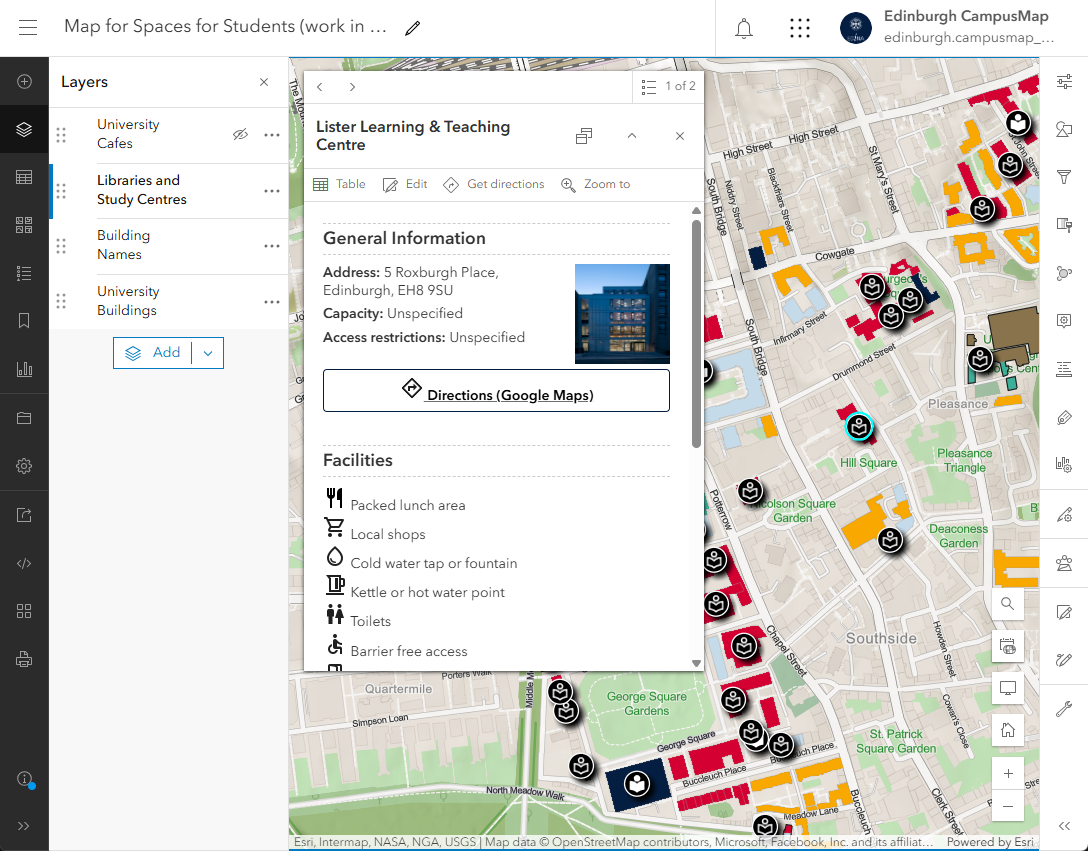
Hi there, I'm new to Experience Builder and just trying to get to grips with things. The current issue I'm struggling with is the amount of padding that's automatically applied around the contents of the Feature Info widget. In Map Viewer, the popup has a small area of padding to the left and right of popup's contents totalling 19px (according to Google's Dev Tools):
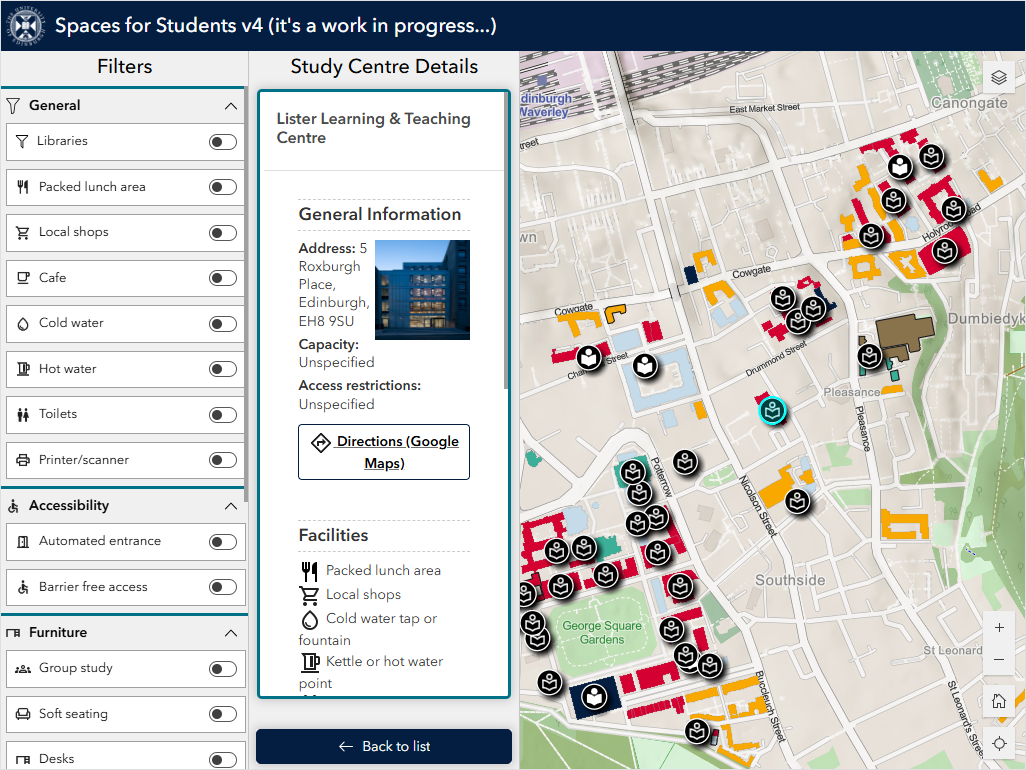
Using the same popup in Experience Builder in the Feature Info widget, the padding on the left and right of the popup's contents totals 38px. Bearing in mind this is applied to both the left and right hand sides of the popup, it results in an awful lot of white space around the popup contents, as shown below:
As far as I can see, there is no way to control this as we're using ArcGIS Online. I presume if we were using ArcGIS Enterprise we'd be able to customise the CSS to reduce the padding, but I can't see any way of doing this in Experience Builder in AGOL. Ideally what I'd like to do is reduce all the padding at the various levels so it looks something like this:
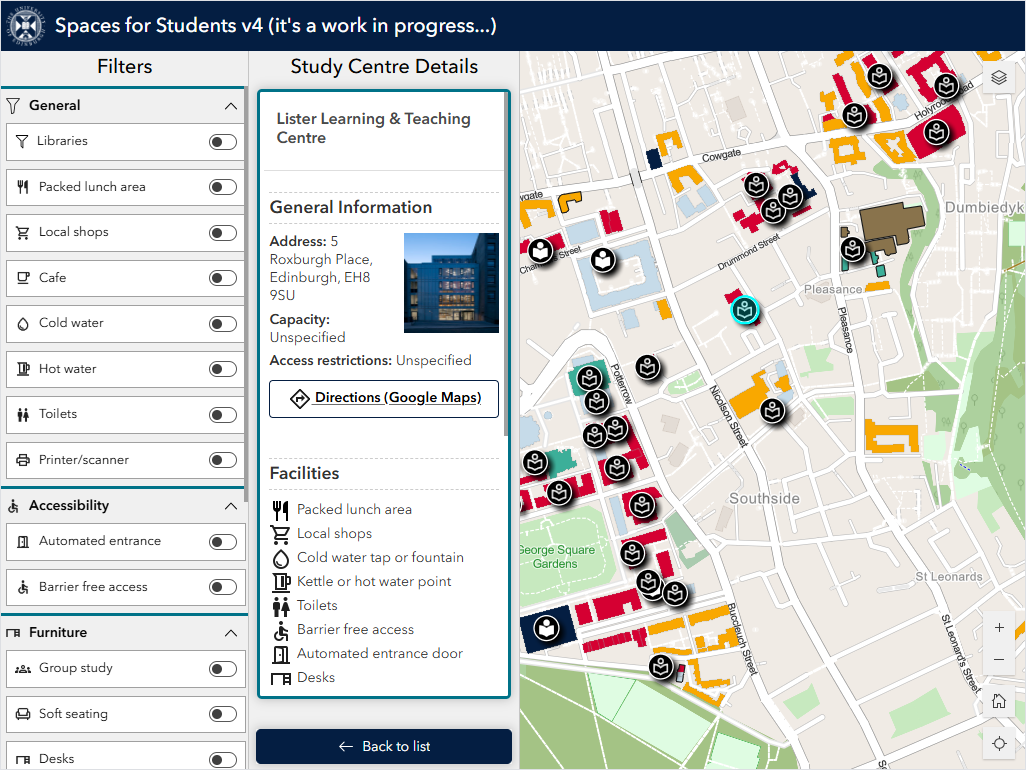
Which I think looks a lot better. For reference, this being viewed at 1024x768.
Does anyone know if there is anything I can do about this and can anyone confirm that if I was using Enterprise it would be possible to customise the CSS to achieve the desired outcome?
Any help would be greatly appreciated.





