Hello -
Does anyone know how to permanently clear a log-in profile out of ArcGIS Pro? Long story short, I was doing some troubleshooting for a user and needed to log into Pro to check something - now it won't stop automatically logging in my profile instead of the person who needs to log in.
I went through the portal settings and reset the login - but I think I need to delete the portal and re-add it, but it's grayed out????
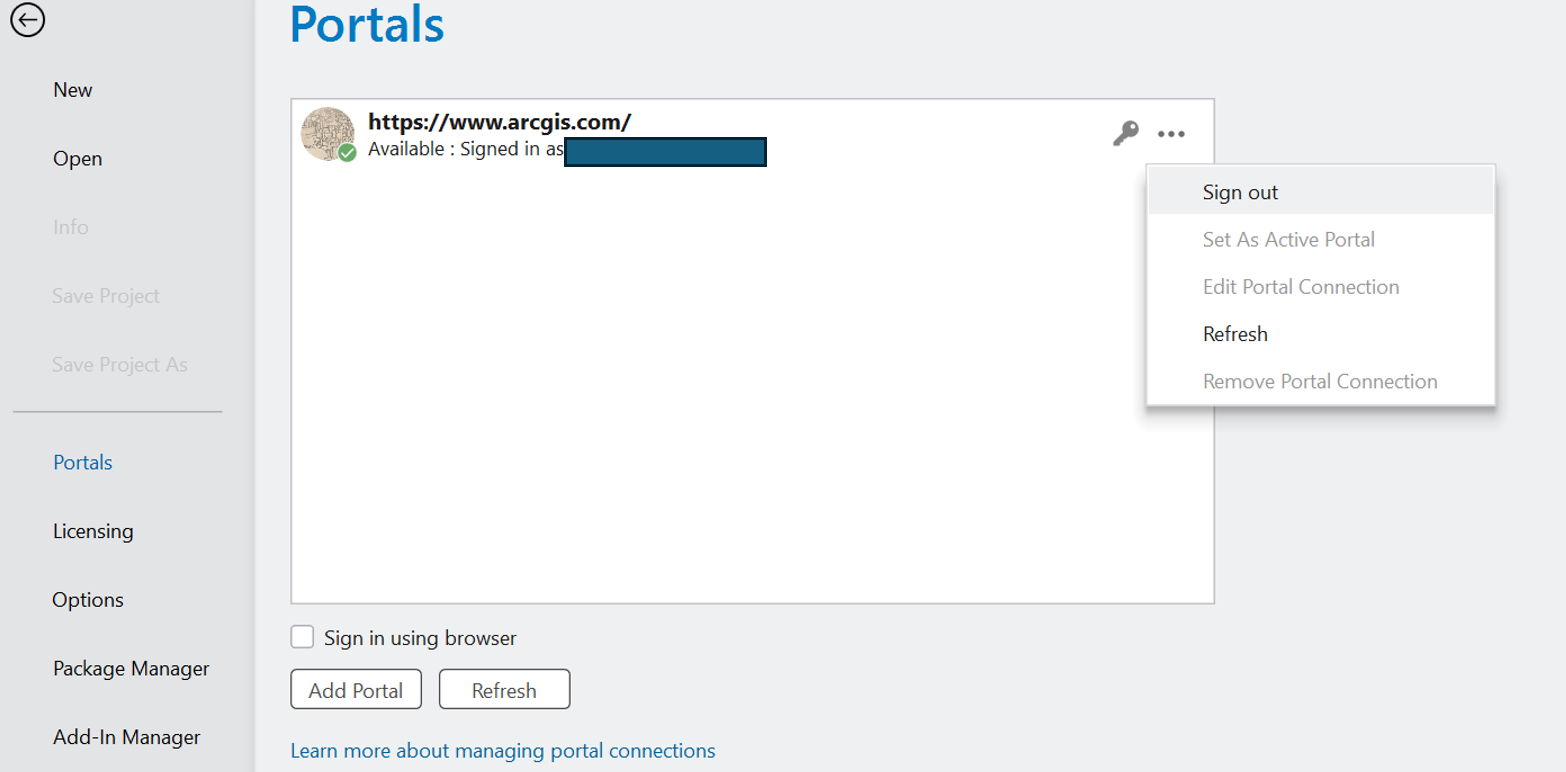
We use SAML authentication - so I'm specifically needing it to start over from fresh and do the 2 Factor Authentication and all of that
I've tried Signing out multiple ways - and it just automatically signs me back in. I also tried signing through the browser, and that still won't pick up the correct log in (will still sign in Pro as me even if the other user signs into ArcGIS Online). I've even tried clearing out all my browser caches and this did not help.
Forgetting the log in also doesn't work - logging out, closing the program, reopening it - nothing seems to trigger a fresh log-in window.
Help! Open to any recommendations - otherwise I think the only other option is to completely delete ArcGIS Pro and re-add it. But I'm hoping I don't have to do that.
Thank you!





