I'm struggling to interpret Esri's instructions for generating a pick list from a feature service for a select_one question in Survey123 Connect. I'm referencing the Search function.
Here's what I'm getting from the documentation:
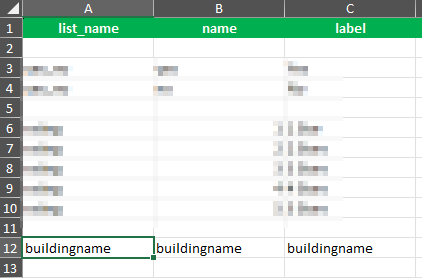
In the choices tab, enter the list name (doesn't matter what I call it), the name (must be the field name in the feature service that I want to pull values from), and the label field (doesn't matter what I call it). Here's my config:
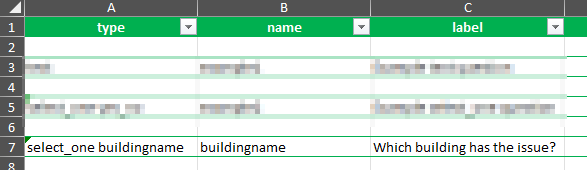
Then, in the survey tab, I populate the type as select_one buildingname (with the part after the select_one statement matching the list_name value in the choices tab), the name (with the name of the field in the feature service), the label (does not matter what I put here). Here's my config:
Then, in the same tab, same row, I have to populate the appearance column with the search() function and the correct parameters, which are supposed to be search(tableName, searchType, searchColumn, searchText, filterColumn, filterText). I can tell that tableName is the URL of the service (including the number of the sublayer), but after that, I get hazy. Here's what I have so far:

That syntax does not actually generate a drop-down menu on the survey. If I add the autocomplete parameter, I get a blank drop-down.
Help?



