Hello,
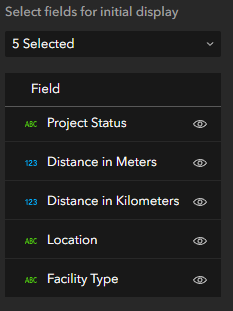
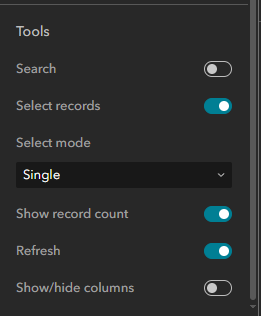
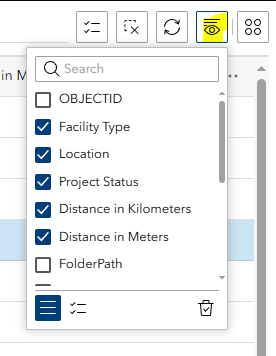
I'm working with the table widget in experience builder. In my sheet configuration I have set 5 fields that the user should be able to see. I've turned off the search and show/hide column tools, however, when I open the Experience builder app the show/hide columns button appears and it lists fields that I do not want the user to see. Why is this? I read in some other posts that some functionality persists if you're signed in as an administrator. Is that what's happening? And if so, how am I supposed to test that the app functions properly? I'm also able to edit data in the table and definitely do not want the users to be able to do that.