After hours of research I unfortunately do not find a solution and could need some help.
When using the search widget any resulting features from the search is highlighted in the map:
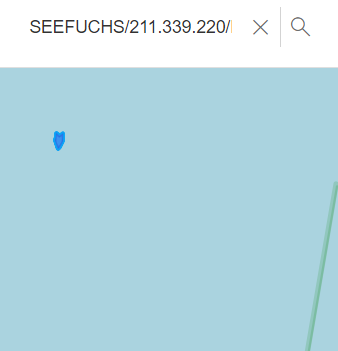
I would like to disable that or clear that afterwards.
I tried disabling it using 'resultGraphicEnabled: false' but without luck. The highlight still appears.
const searchWidget = new Search({
	view: mapView,
	popupEnabled: false, //disable single-popup for selected result
	includeDefaultSources: false, //disable default esri world locator service
	allPlaceholder: placeholderText, //only applies if an all-option is available (at least two resources must be in place)
	resultGraphicEnabled: false, // do not highlight features on map
	locationEnabled: false,
	goToOverride: (_view, parameters) => { .... },
	sources,
	container: this.elementRefSearch!.nativeElement
});
I also tried to clear the selection using 'searchWidget.clear()'. This clears the search term but the highlight keeps being in the map.
searchWidget.on("search-complete", async (_) => {
	searchWidget.clear();
});
If I do nothing of this by clear the search by hind by hitting the X button right next to the search term the highlighting disappears just as desired. I would have expected that at least searchWidget.clear() would exactly do this job but looks like it doesnt.
Maybe the search-complete event is not far enough at the end of the event stack. Maybe the highlight happens right after this event is finally handled. So the clear-call would happen right before that while the highlight still happens afterwards, even the search got cleared. Dunno, just wild guesses.
Hopefully someone has got an idea for me. Thanks.


