Turning creds persistence on/off causes an exception.
Prerequisites:
- Set up OAuth2 sign in to ArcGIS Online.
- Set up request to secured resource ("https://www.arcgis.com/sharing/rest/portals/self" in my case).
- For clean reproducing create new iOS emulator or use one where creds persistence was NOT enabled previously.
Steps to reproduce:
1. Run app with persistence DISABLED. It works OK: shows prompt for login/password and performs authorized requests after that.
2. Close app and launch it with persistence ENABLED. It will fail with an exception:
ArcGISException: code=18006; Invalid token.; An invalid token was used to access https://www.arcgis.com/sharing/rest/oauth2/token.
3. Subsequent runs witn persistence DISABLED will work OK.
4. Subsequent runs witn persistence ENABLED will throw same exception again.
At the same time, running app with enabled OR disabled persistence ONLY (without switching between modes) works well.
App reinstalling does not help.
Code that enables persistence in my app is right from docs and is executed right before 'runApp()' call:
ArcGISEnvironment.authenticationManager.arcGISCredentialStore =
await ArcGISCredentialStore.initPersistentStore();
Exception is thrown by 'oauthCredential.getTokenInfo()' call inside my internal class responsible for extracting OAuth2 token for my own server requests. Not sure why this is happening. I use all methods from SDK. Possibly, there is a call to 'oauth2/token' endpoint with outdated token, and server just returns an error instead of new token? Could you please advice something on this?
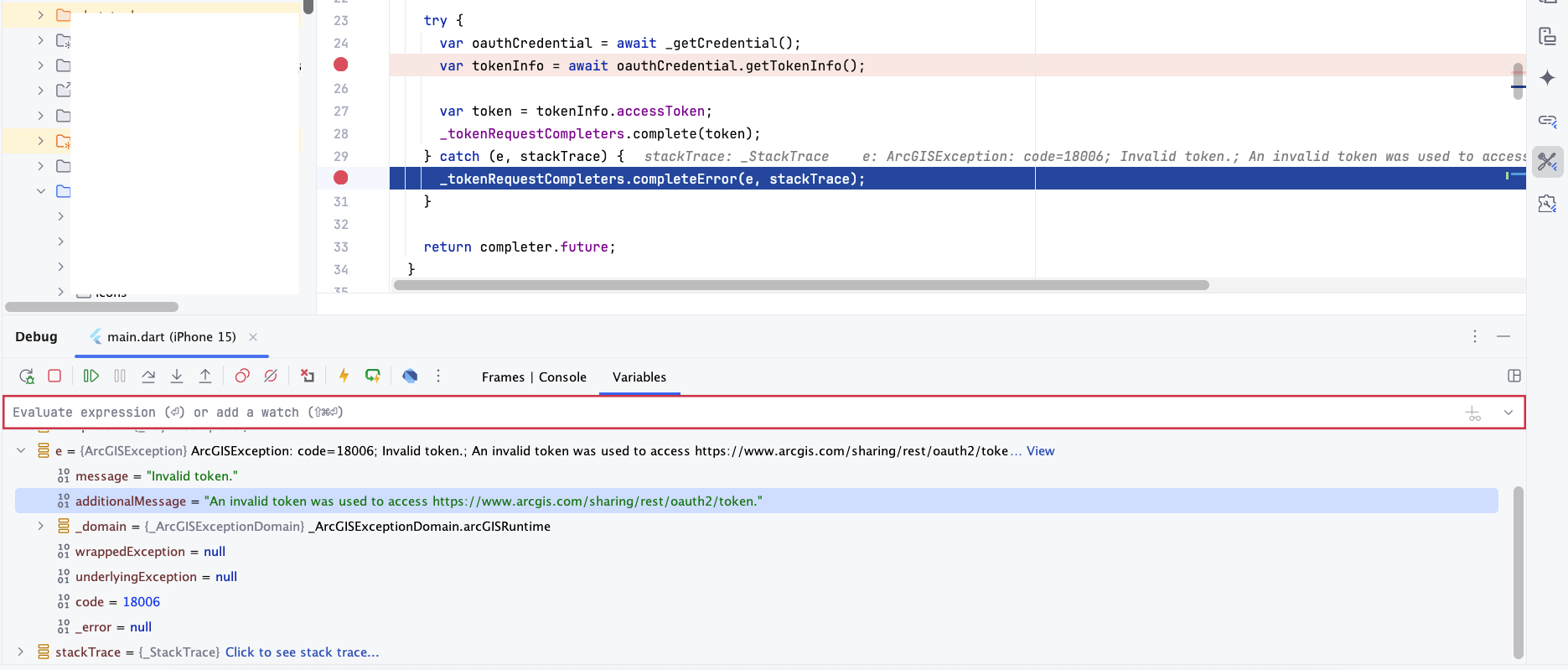
Tested via simulators:
- iPhone 15 w/ iOS 17.5
- iPhone 16 w/ iOS 18.4
- iPhone 16 Plus w/ iOS 18.4
Flutter 3.29.3, Dart 3.7.2, ArcGIS Flutter SDK 200.7.


