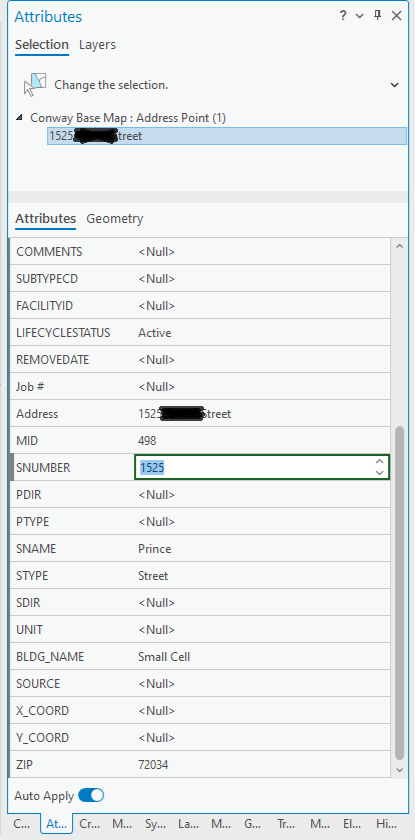
In the Attributes Pane, specifically numerical fields, there is the option to incrementally increase/decrease the value. This is cute and all... However, if you are in one of those fields and decide to scroll up/down to another field, it will automatically increase/decrease your value - and if you have a mouse that hyper scrolls it can drastically change your value!! This is a pain to have to go back and adjust your value, assuming you notice it changed.
It also does this if you are using the arrow keys on your keyboard to move through the Attributes Pane. This is a method that we used in ArcMap to quickly maneuver through the Attributes Pane - but not anymore! Now an arrow key will increase/decrease the value. This is the same problem in the actual attributes table.
Not being able to keyboard/scroll through the attributes without inadvertently changing values slows productivity for my editors, especially when they are trying to quickly work through filling out attributes. This is especially painful when working in the attribute table with a selected set and you are trying to go from record to record filling out values.
Please for the love of all things good and holy - make it stop. You can even bring back the method of using the keyboard arrow keys to navigate through the attribute pane.
(