Hi, all. I updated my Web Map to filter for NAIP YEAR = 2023 from YEAR = 2021. Ultimately, I readded the USA NAIP Natural Color Imagery layer completely, filtered for YEAR = 2023.
USA NAIP Imagery: Natural Color is set up in my WAB (launchpad) with Subscriber Content Access.
The Print Widget uses the default service URL.
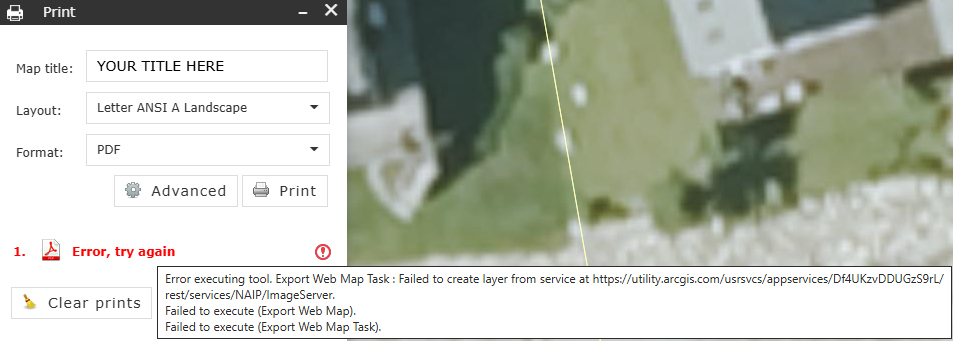
When I test Print Widget, I get:
"Failed to create layer from service at https://...../rest/services/NAIP/ImageServer" as shown in the image below.
That is, if I have NAIP imagery turned on, printing to pdf fails. If the layer is off, the pdf is created.