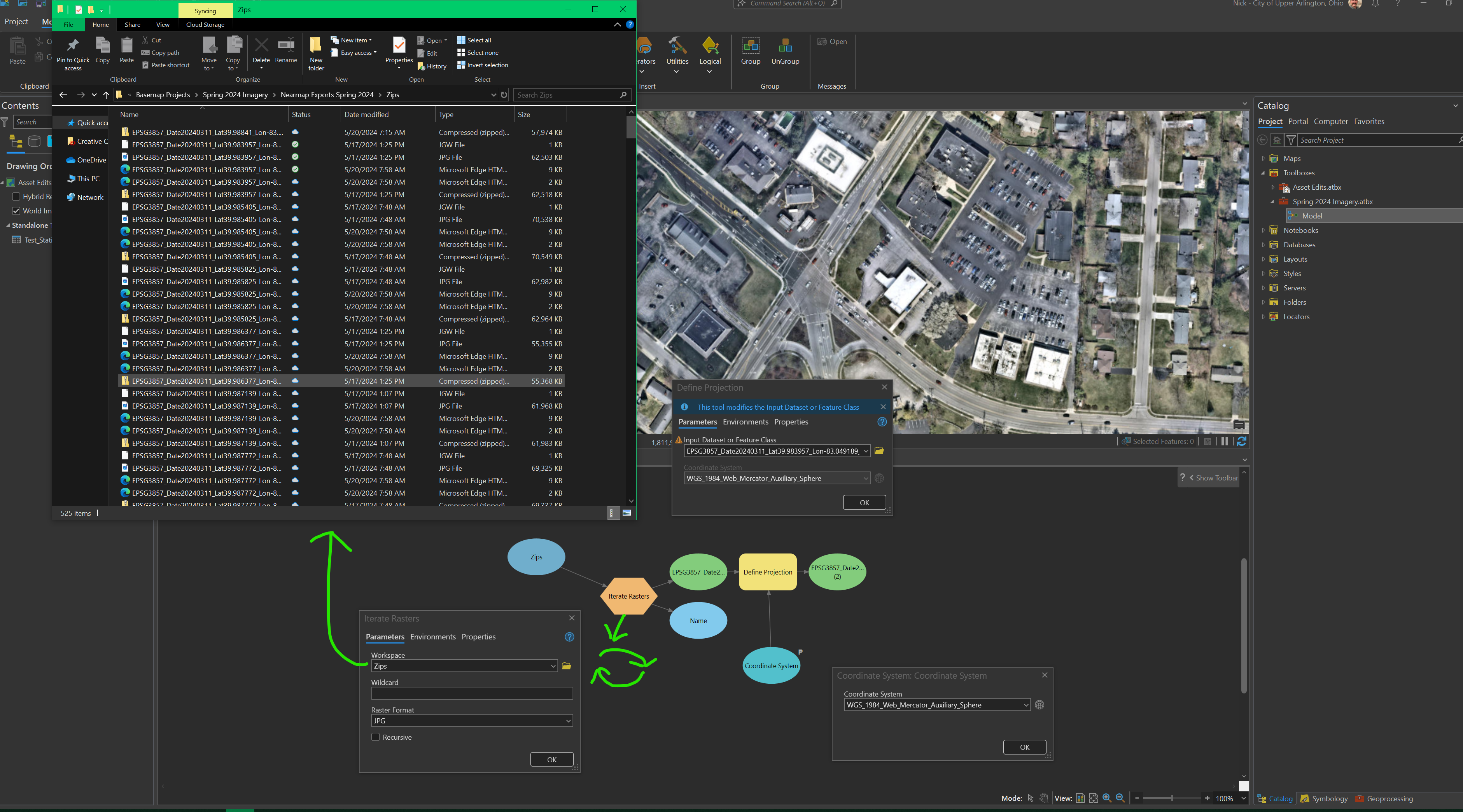
I create annual/biannual basemaps for our city. We have a subscription to an Imagery company that provides projected, georeferenced imagery for the taking. In order for us to have a detailed basemap, I must zoom in and export sections at a time. I export roughly 150 images, then I unzip them into a folder and add them all into my ArcGIS Pro project. The end product is that these basemaps are hosted in ArcGIS Online. I will get a warning message that these images have to be projected prior to sharing to ArcGIS Online, so I have to one by one use the Define Projection tool to set the proper projection. Even though I export them from the website "projected" and they are already spatially accurate, they need to be projected again in ArcGIS Pro.
I have created a work around, but it would be easier if you can select multiple rasters for Define Projection.
Here is my current workaround: