The Legend in the contents pane in ArcGIS Pro does not match the way the symbology looks on the map. This happened to me after experimenting with symbol layers to create a specific look on the map.
Here is what is looks like right now...
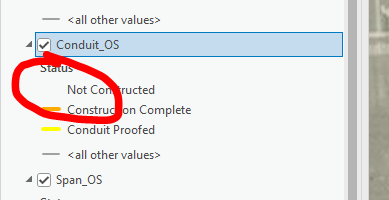
The 'Not Constructed' symbol is blank on the contents pane.
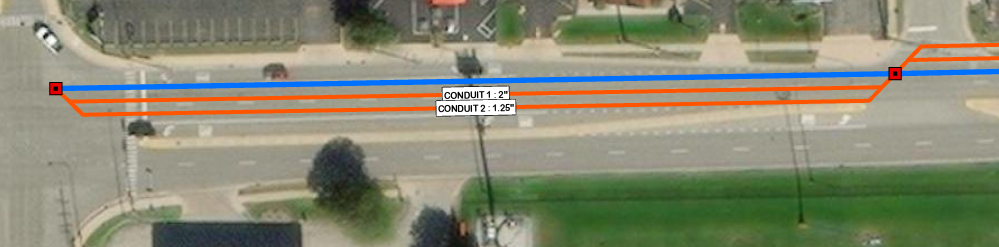
The missing symbol is the orange line with an offset and label.
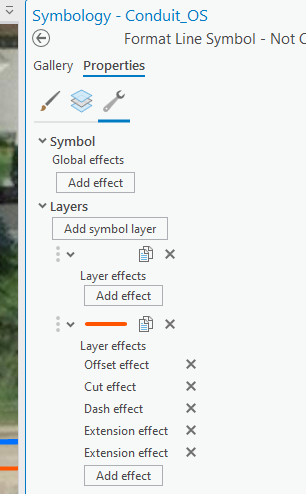
There are two layers with several effects on the Symbology pane for the affected symbol.
You'll see that the top layer is blank. That is the layer where the label comes from and is blank because the content is dynamic. But that seems to be where the legend is coming from.
If I type something into the text field for that label, it changes the symbol...
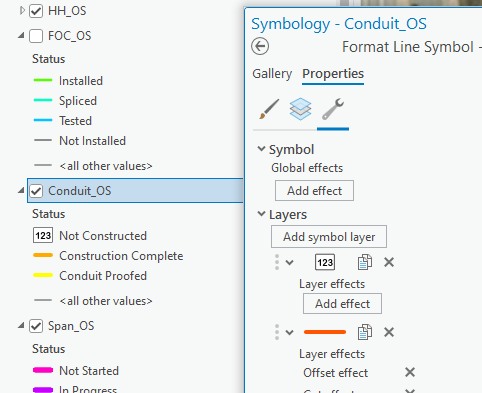
Is there any way to make the legend show up a single orange line?




