Hi there,
I'm trying to find a quality responsive option in the phone view for Experience Builder to create functionality similar to the All Trails application, which has a row that is scrollable with buttons for key activity levels. There are something like 10 buttons that spill off the page, but you can drag right/left to see the button options.
I've tried both the Views Navigation and Widget Controller options. See below for specific issues with both widgets, with requests for simple tweaks to make them more functional.
Is there another widget / strategy / setting that I am missing to achieve my goal?
VIEW NAVIGATION
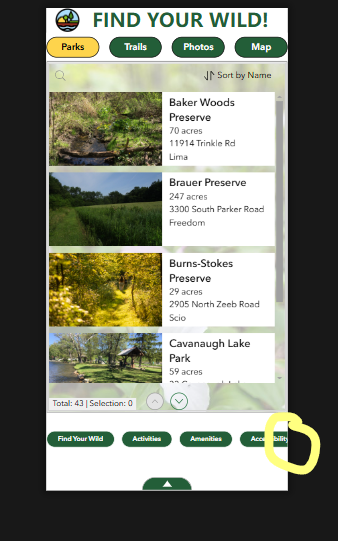
- The button layout looks great, but when you add more views than the screen can accommodate, the buttons spill off the page and disappear.
- Am I missing an option to scroll right/left to see the buttons? I know there are other styles for views navigation that allow for right left scrolling, BUT they obscure the names of each view, just showing arrows or dots.
Image below shows buttons spilling off the screen, lost forever.
WIDGET CONTROLLER
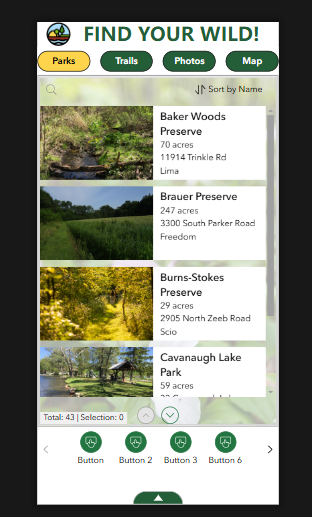
- The widget controller has a good look when I add button widgets. I like the scroll options available when there are too many widgets to fit on a screen
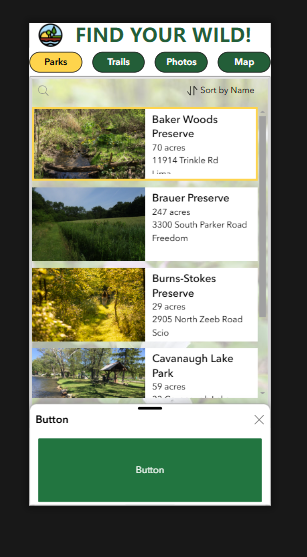
- BUT: the functionality is FUNKY for the button widget. The user clicks the button widget, and then... the button appears, and the user has to click it again.
- For the button widget, it would be great if clicking the button would just... click the button.
Image below looks nice! Next image shows funky button action.
Funky button action! When I click on the button, I just... see the button. And have to click on it again. It'd be nice if clicking the button just triggered the button without having to click it twice.