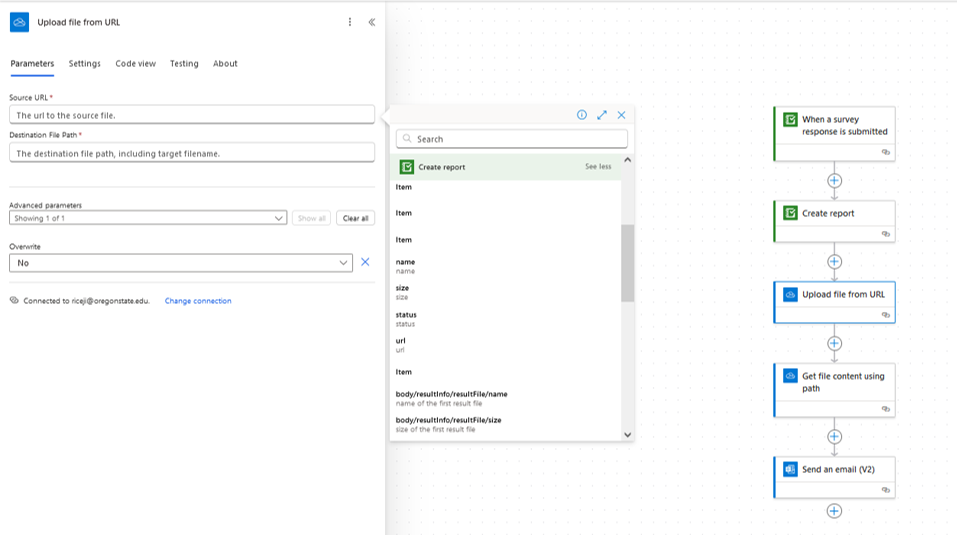
I'm tyring to create create a Survey 123 Report action in Microsoft Power Automate and have followed the steps outlined in the Video 2023-01-30 Survey123 Create Report action in Microsoft Power Automate Preview.mp4.
I'm having trouble at the step "Upload file from URL" as I'm finding no option for 'url of the first result file'. If I select 'url', the flow automatically generates a 'for each' loop that causes the following: Expression Evaluation Failed. The execution of template action 'For_each' failed: the result of the evaluation of 'foreach' expression '@outputs('Create_report')?['body/resultInfo/resultFiles']' is of type 'Null'. The result must be a valid array.
I'm wondering why I'm not able to find a 'url of the first result file' rather than simply a 'url' option. This limitation seems to be preventing me from building a functioning flow. Please help!