In a Web Map in ArcGIS online, I have added several filters to a layer with the goal of creating a random sample of street segments. I want to create a layer that includes ONLY those selected street segments, so that there is a permanent list of the random sample and it can't get messed up by adjusting filters, etc.
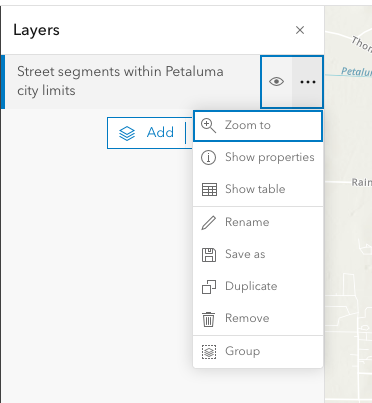
If I've understood how this should work (i.e., according to ChatGPT), there should be an option under the menu for that layer within the Web Map that includes "Export Data." But it isn't there.
Some things I have verified:
--My organization is the owner of the original layer.
--I am the administrator of the account.
--It is a hosted feature layer.

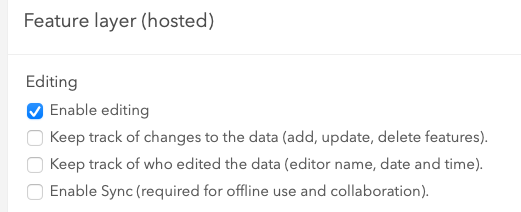
--For the feature layer, edting is enabled.
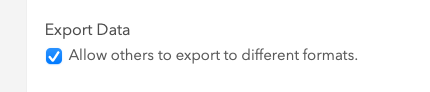
--And I have enabled the option to allow other users to save a copy.
Grateful for any suggestions on why the Export Data option isn't available OR other ways to get those random segments pulled into a shareable file of some sort of their own.



