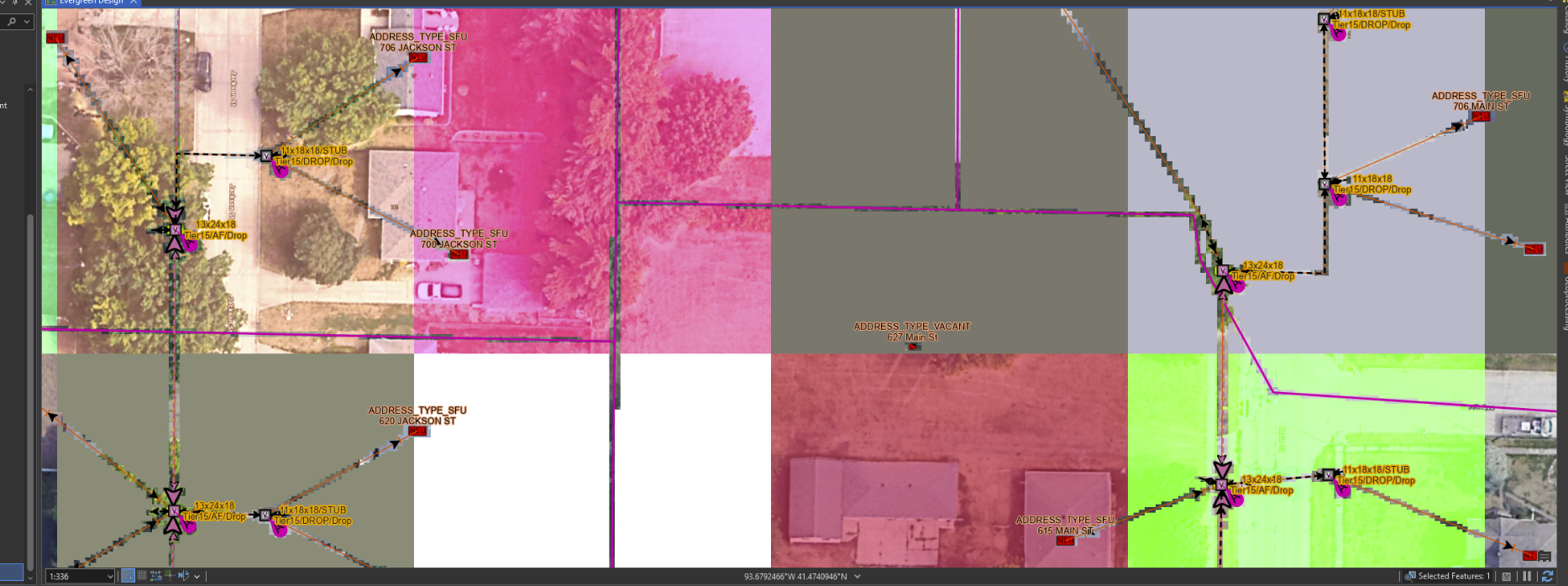
This recently started occuring on my coworkers instance of ArcPro and we haven't been able to track down either a solution or a cause so I'm asking here whether anyone else might have an idea. When zooming around with any combination of map layers (this does not occur if all layers are turned off) random large colored squares/rectangles appear to be drawn. Colors doesn't seem to correspond to anything and the blocks appear to be drawn below layers that show geometry. anti-aliasing seems incredibly poor as evidenced by the blocky, stair-stepping between the labels/geometry and the graphical glitches. Messing around with all the graphics options within Arc doesn't make it go away, though clearing the graphical cache seems to make it go away for a little bit. As far as we can tell, nothing recently changed with the program or our system drivers or something of a similar nature. I don't get this error on my end with the same layers, hardware, and Arc version.