Hello Esri Community,
I am currently working on processing GTFS (General Transit Feed Specification) stop_times.txt data using ArcPy in ArcGIS Pro to create bus routes and stops, as well as to add durations based on each bus route. However, I'm encountering issues where the split lines are not being correctly split at the stop points. Specifically, some bus routes are not being split as intended, resulting in inaccurate segmentation of the routes. Can anyone give me a hand with this, thank you a lot.
Workflow Summary:
1.Data:
- BusRoutes(FB_ROUTE_LINE_259X)(route line): Created with fields such as trip_id, duration, ROUTE_SEQ, COMPANY_CODE, etc
- BusStops(BusStops)(point): Created with fields like stop_id, arrival_time, departure_time, etc.
Spatial Reference:
Both BusRoutes and BusStops are set to Web Mercator Auxiliary Sphere (EPSG:3857) to ensure consistency.
2.Geoprocessing Steps:
- Integrate Tool: Applied to align bus stops with bus routes using a specified cluster_tolerance.
- SplitLineAtPoint Tool: Intended to split bus routes at each bus stop to create segments between consecutive stops.
The Problem:
Despite following the workflow, I observe that:
Incorrect Splits: Some bus routes are not being split correctly at the stop points.
Manual Processing: Performing the same operations manually in ArcGIS Pro's SplitLineAtPoint tool results in the same issues.
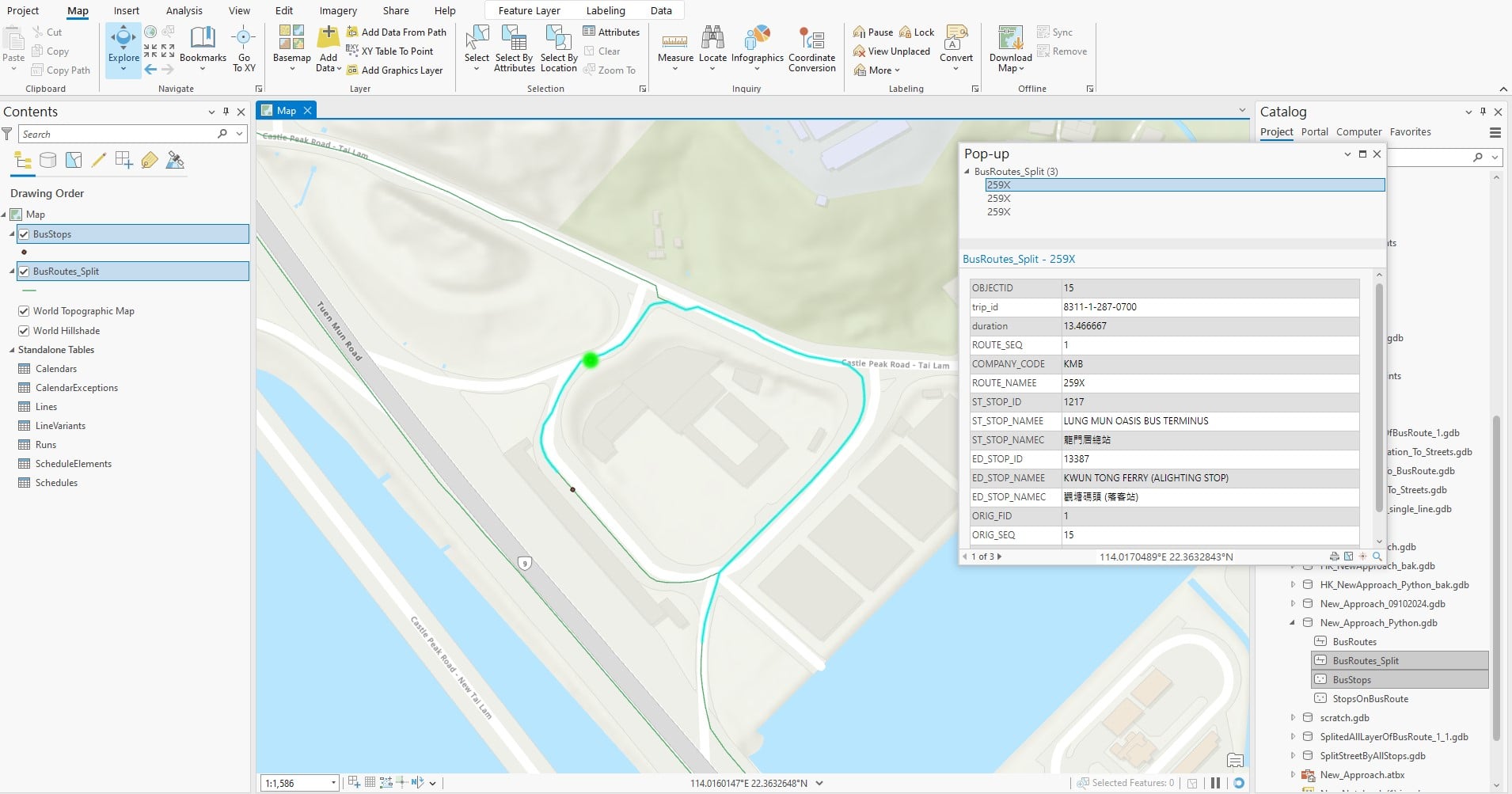
Below is part of the code:
# Define in_features as a list
integrate_inputs = [fc_routes_path, fc_stops_path]
# Define cluster_tolerance based on your environment settings
cluster_tolerance = "0.01 Feet" # Adjust as needed
# Check spatial references
routes_sr = arcpy.Describe(fc_routes_path).spatialReference
stops_sr = arcpy.Describe(fc_stops_path).spatialReference
if routes_sr.factoryCode != stops_sr.factoryCode:
logging.error("Spatial references do not match between BusRoutes and BusStops.")
exit()
else:
logging.info("Spatial references match between BusRoutes and BusStops.")
logging.info("Finished creating bus routes and stops feature classes.")
split_lines_output = os.path.join(gdb_path, 'BusRoutes_Split')
if arcpy.Exists(split_lines_output):
logging.info(f"{split_lines_output} already exists. Deleting...")
arcpy.management.Delete(split_lines_output)
try:
# Use keyword arguments for clarity
arcpy.management.Integrate(in_features=integrate_inputs, cluster_tolerance=cluster_tolerance)
logging.info("Integrate tool executed successfully.")
except arcpy.ExecuteError:
logging.error("ArcPy ExecuteError during Integrate:")
logging.error(arcpy.GetMessages(2)) # 2 captures only error messages
exit()
except Exception as e:
logging.error(f"Failed to run Integrate tool: {e}")
exit()
# Perform the Split Line at Point operation
arcpy.management.SplitLineAtPoint(fc_routes_path, fc_stops_path, split_lines_output, "1 Meters")
logging.info(f"SplitLineAtPoint executed successfully and output saved at {split_lines_output}")

