We have several ArcGIS Enterprise Deployments and a separate ArcGIS Monitor deployed for each environment. The monitor is deployed on a dedicated server with 2 core CPU and 16 GB RAM for most of them, along with Monitor Agents installed separately on each Enterprise component server.
Recently, we've started noticing a behavior on some of the environments where the CPU of the monitor machine shoots upto a 100% and renders it unable to browse the monitor url.
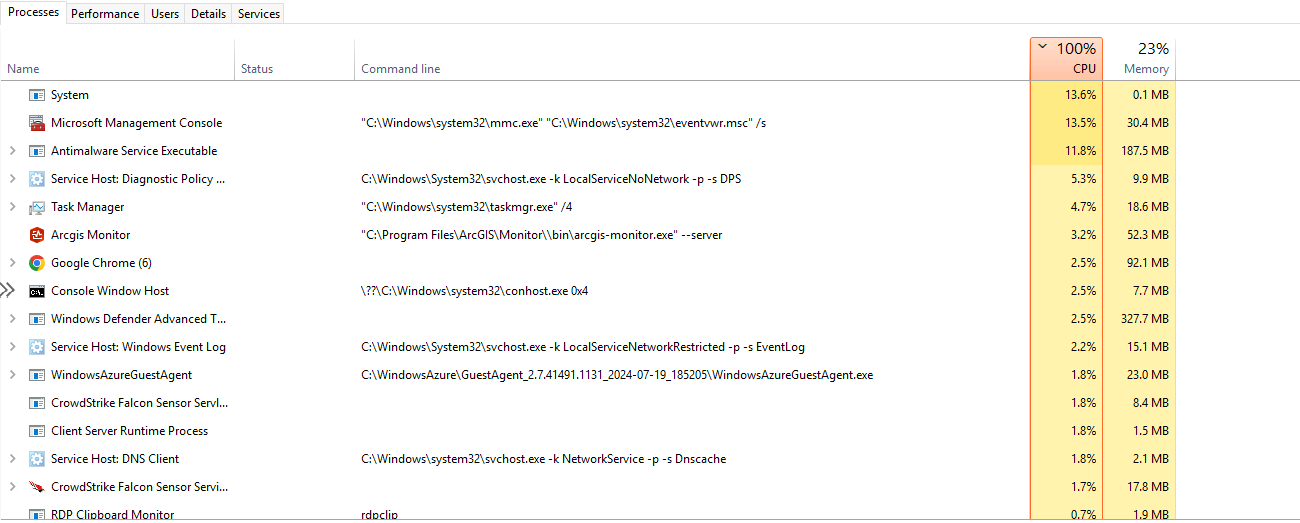
 We've tried restarting the Monitor service, also rebooting the entire machine, however the CPU is still at capacity but as soon as the monitor service is stopped, the CPU drops to about 20-30%.
This issue was first noticed on a monitor agent machine where we ultimately had to uninstall it and then register the machine as a host. After this we've had 2 more occurrences on the Monitor server itself at random.
We're yet to figure out a solution or what might've caused this since we haven't made any changes apart from the automatic windows updates. Is there an issue with any specific windows update recently?
We will try to stop the windows defender service on these problematic severs and see if this could be temporary solution. Any other suggestions would be helpful.
Thanks






