Dear community,
I am having problems selecting points from a layer which are not within another polygon layer. I have tried using arcpy.SelectLayerByLocation_management(point, 'WITHIN', poly, '', 'NEW_SELECTION', 'INVERT'), but it has not yielded the desired results.
To test this functionality, I have created the MWE below.
import arcpy

def main():

    arcpy.env.workspace = arcpy.env.scratchGDB
    arcpy.env.overwriteOutput = True

    poly = 'test.gdb/test_poly'
    point = 'test.gdb/test_point'

    arcpy.SelectLayerByLocation_management(point, 'WITHIN', poly, '', 'NEW_SELECTION', 'INVERT')

    point_select = 'point_select'
    arcpy.CopyFeatures_management(point, point_select)

    arcpy.SelectLayerByAttribute_management(point, selection_type='CLEAR_SELECTION')

if __name__ == "__main__":
    main()
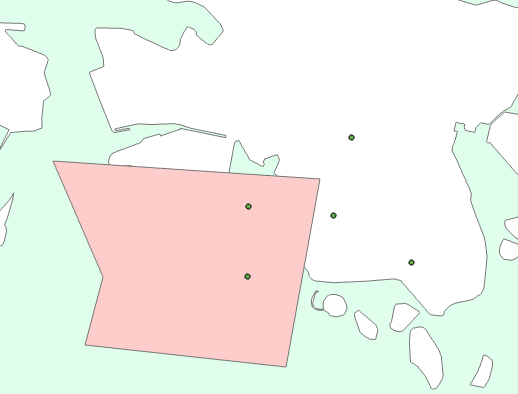
For which I also have created a new database with a point (5 features) and polygon (1 features) layer:
I have also created a new tool to test this with, for which I am getting the output (with some small print statements added):
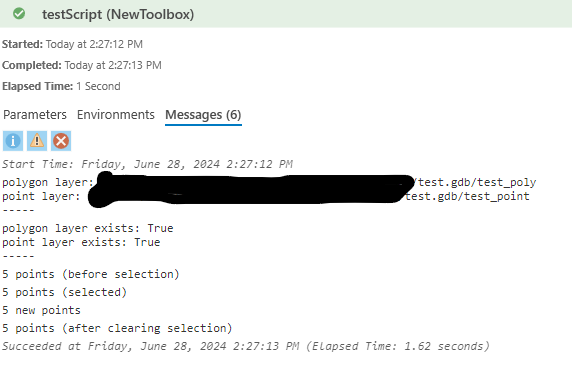
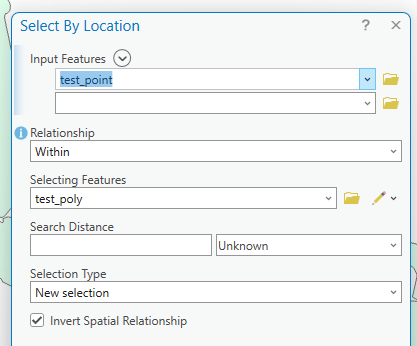
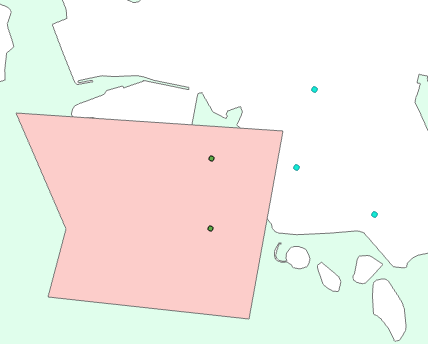
Which suggests that no selection is being done. Using the Select By Location tool within ArcGIS Pro (the same equivalent?) the selection works:
Things I have tried:
- Substituting the operation ('INTERSECT', 'COMPLETELY_WITHIN')
- Clearing the cache (Project > Options > Application > Display > Local Cache > Clear Cache Now)
- Restarting ArcGIS / reloading tool
- Clearing / not clearing the selection after copying features
- Using layers in scratch.gdb / actual database
- Setting the method arguments using their names (in_layer=..., overlap_type=..., etc.)
- Switching 'INVERT' / 'NOT_INVERT' but none of them affect the results, i.e. no selection
Am I misunderstanding how this method works, or is there some other explanation for the selection not working?


