Hello - I'm needing an urgent help hope you can direct me to the right cause.
I've been trying to deploy a WPF project based on this example projec Query a feature layer (SQL) seen here
project https://developers.arcgis.com/net/query/tutorials/query-a-feature-layer-sql/
The exercise map is replace by a local map and a corresponding feature layer that returns a collection of points.
So far so good, until I added a Set Up project to deploy my target project (using resulted msi installer).
I keep getting this warning below may it be x64 or x86 as my target platform:
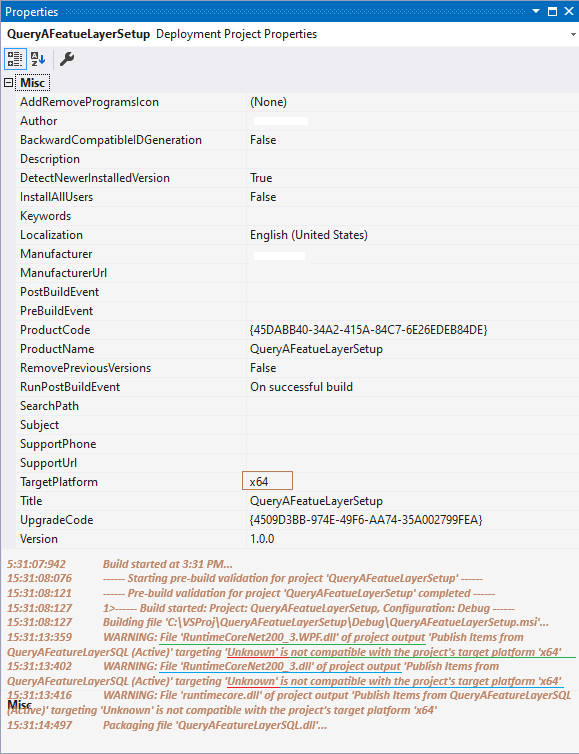
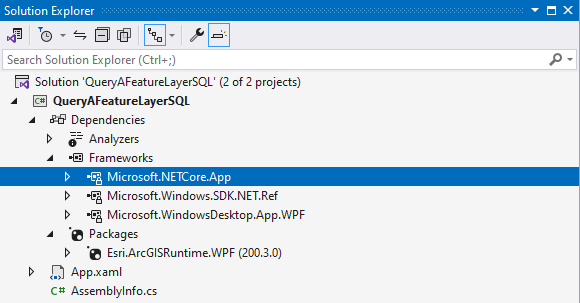
Then I've picked up what seems to be fresh release of Arcgis Maps SDK .NET Template project: https://mediaspace.esri.com/media/t/1_2gx16j17

Iv'e looked at the depencies, all the framework item and packages are organized the same way except the .netcore item if of heigher version.
I did the same Set Up deployment procedure and got the same warnings.

When I click on my program deployed short-cut, it doesn't load anything, nothing is fired. However the program name did show up in the control panel Programs & Features and uninstallable.
I check out Program File's instalation directory and I see no netcore dll component like the deployment page points out. https://developers.arcgis.com/net/license-and-deployment/deployment/
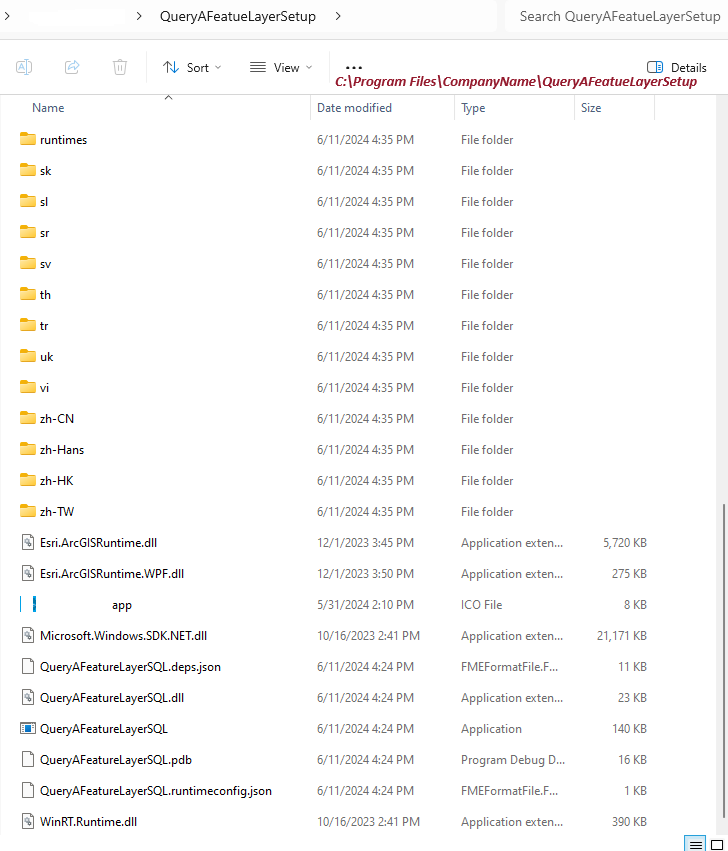
Looking for RuntimeCoreNet200_4.dll, RuntimeCoreNet200_4.WPF.dll, runtimecore.dll but none were found down the list. What gives?
After several trials, it seems a possible conclusion is that Microsoft Setup Program is not suitable for an Arcgis Map SDK .net based project? Isn't that strange? Can you help me straighten this out if you have been successful with Microsoft Set Up project for WPF program.
Thanks


