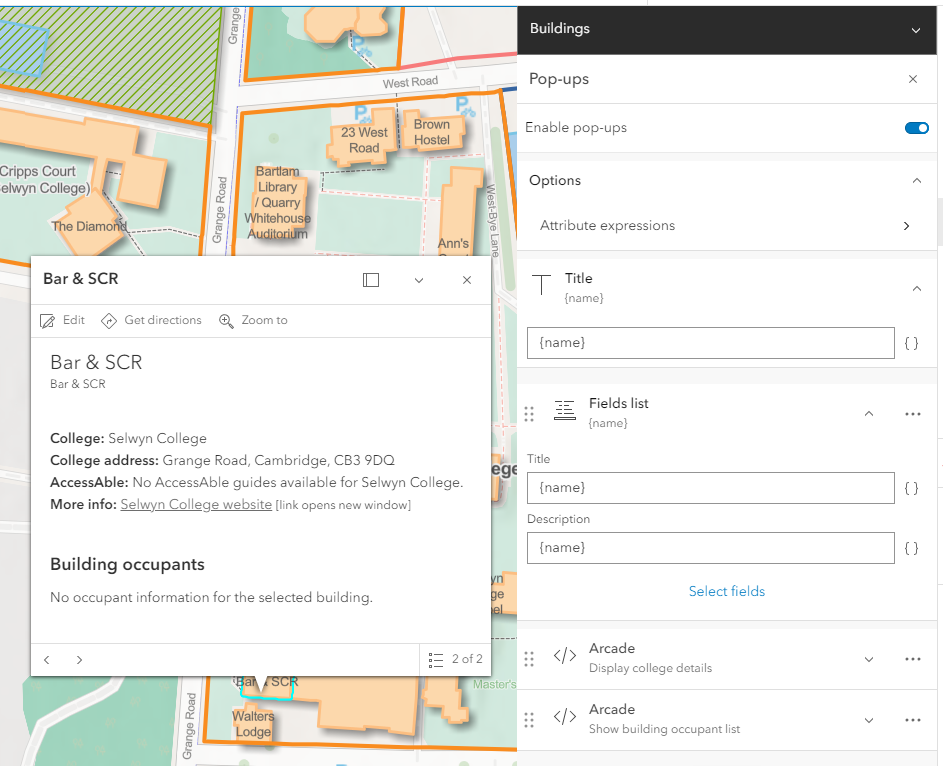
Some of my data has ampersand characters in the name field which I'm trying to use as the Title of the Field List element in my popup. This works fine if I just use {name} in the relevant fields of my popup:
However some of my features do not have a value for the name attribute, so I created an attribute expression that uses the DefaultValue function to insert some default text if there is no name value, code below:
DefaultValue($feature.name, 'Unnamed building')
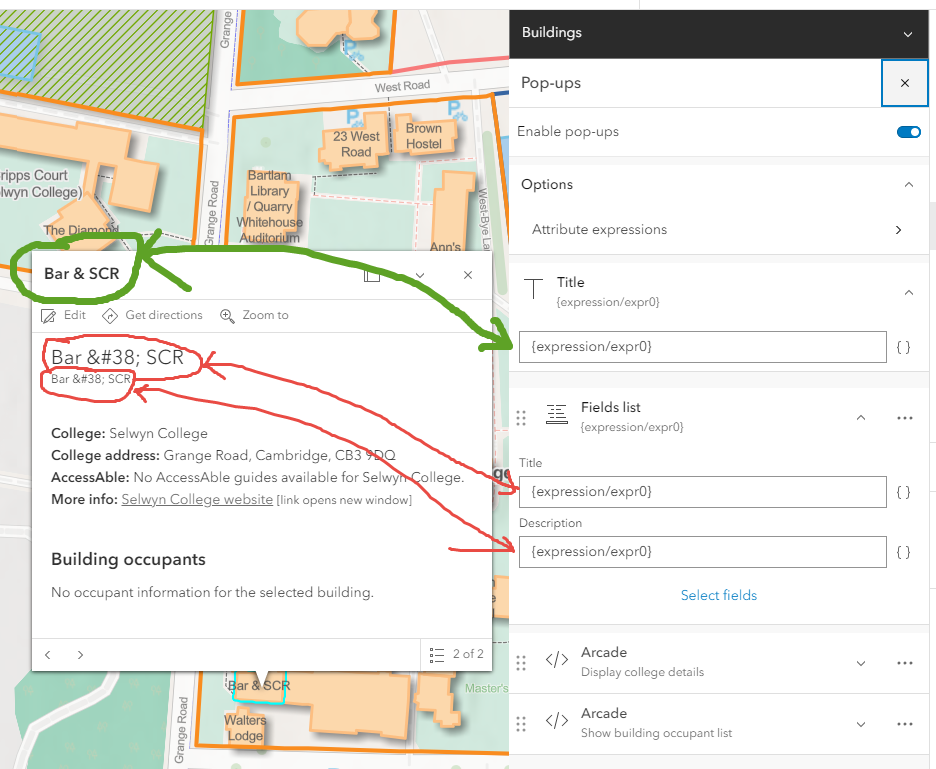
Using this expression in my popup, in the Title field of the popup it displays correctly (circled in green in the image below), but in the Title and Description fields of the Field List component all ampersands display as & (circled in red in the image below):
I've tried using the REPLACE function to replace '&' with '&' but that doesn't resolve the issue.
It's annoying that it works fine in the Title field of the Popup, but not in the Title and Description fields of the Field List component, as it's the Title of the Field List that I want to use it in. The inconsistency of this makes me think it's a bug, I can't imagine this is deliberate behaviour.
A workaround is to use the REPLACE function and replace '&' with 'and', but this is a bit misleading as users will be using the search function to search for buildings by their 'name'. If we display the name as 'Bar and SCR' users will expect that is how the data is stored and would logically search for 'bar and scr' rather than 'bar & scr'.
I'd love to know if there is a way to resolve this without having to use the REPLACE function to replace '&' with 'and'.


