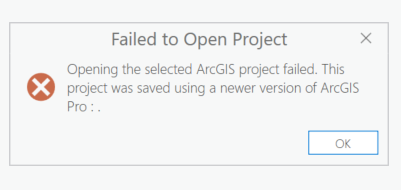
Today my computer froze within 30 seconds of saving my project. Upon hard rebooting and then reopening my project, the following error message shows and I am unable to open the project, either from inside Pro or directly from the folder location:
"Failed to Open Project
Opening the selected ArcGIS project failed. This project was saved using a newer version of ArcGIS Pro:."
I am using Pro 3.2.2 and have not changed versions. Its not a new project.
FYI These freezes periodically happen when Microsoft forces a Security Intelligence Update (which happend today) or starts pushing software onto my laptop in the background; I manually update to avoid this but sometimes they sneak through.
If it makes any difference, I have experiened a feeze/reboot event like this before (but not following a save) and I was able to load a project with no problems.
Thanks for your ideas or workarounds.



