A Utility Network is a comprehensive functional environment for modeling and managing supply systems for electricity, gas, water, stormwater, wastewater, and telecommunications. Once created in ArcGIS Pro, a Utility Network can be provided as a web service in ArcGIS Enterprise (not possible with ArcGIS Online) and also offline for visualization, analysis (traces), and editing. Thus, Utility Networks are very flexible in use in web apps and native apps.
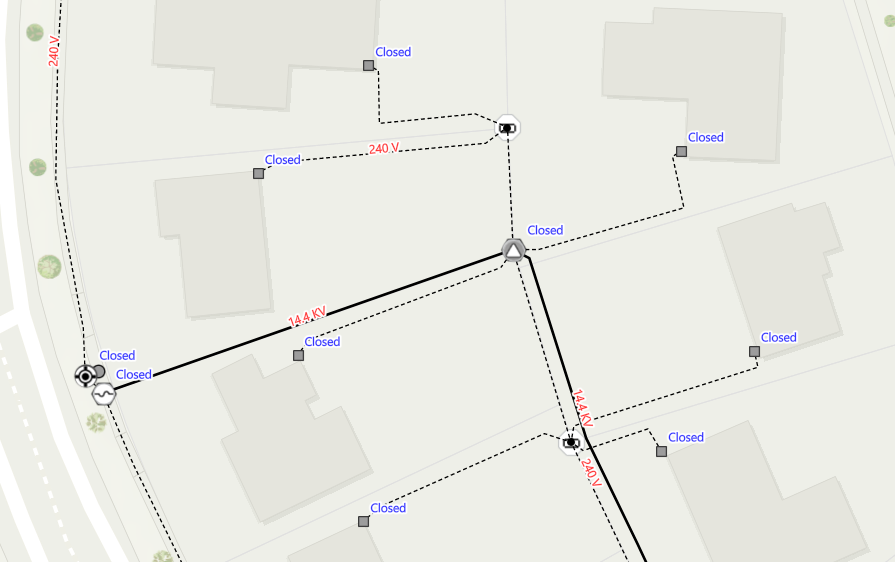
Utility Network – Power Supply Network
A native app based on ArcGIS Maps SDKs for Native Apps (aka ArcGIS Runtime) must be licensed for production use either with an ArcGIS Online or ArcGIS Enterprise User Type, or with a License String. For the use (traces) and offline use of Utility Network, the ArcGIS Utility Network Extension is additionally required. For pure visualization and querying of assets, the extension is not required.
This results in the following license options in native apps:
- With an ArcGIS Enterprise User Type assigned with ArcGIS Utility Network Extension
- With a License String Lite/Basic/Standard/Advanced plus an ArcGIS Runtime Utility Network Extension
|
These license options apply up to versions ArcGIS Enterprise 11.1 as well as for ArcGIS Maps SDKs for Native Apps 200.0 - 200.3 and for ArcGIS Runtime 100.7 - 100.15.
The changes starting from ArcGIS Enterprise 11.2 and ArcGIS Maps SDKs for Native Apps 200.4:
From ArcGIS Enterprise 11.2, the ArcGIS Utility Network Extension is no longer available for User Types. The Utility Network functionality is directly available with User Types without additional costs.
In the ArcGIS Maps SDKs for Native Apps from version 200.4, the ArcGIS Runtime Utility Network Extension is no longer needed. The Utility Network functionality is also directly available here in all license levels Lite, Basic, Standard, and Advanced without additional costs.
This now results in these changed license options in native apps:
- Only an ArcGIS Enterprise User Type
- Only a License String Lite/Basic/Standard/Advanced
|
When migrating to version 200.4, simply remove the Utility Extension License String in the method ArcGISRuntimeEnvironment.SetLicense() in the code.
Editing and Validating Topologies in Utility Network (new)
For editing network features (e.g., opening/closing switches or similar) and topology validations, the Advanced Editing Extension is necessary, which was newly introduced in ArcGIS Enterprise and ArcGIS Maps SDKs for Native Apps. For these functions, these license options are necessary:
- With an ArcGIS Enterprise User Type assigned with ArcGIS Advanced Editing Extension
- With a License String Basic/Standard/Advanced plus an Advanced Editing Extension
|
Best wishes from your GeoDev Germany Team 😊
