I have been trying for two days to install ArcGIS pro on my new machine at work. It is Windows 11, meets all the requirements so we are good there. I did spend over an hour on the phone with customer support this morning uninstalling and reinstalling different versions of .NET Desktop Runtime (x64) with no luck. I then tried to install previous version of Pro thinking I might be able to update...nope.
Then I found this work around involving the Silent install.
https://support.esri.com/en-us/knowledge-base/problem-unable-to-install-arcgis-pro-even-though-micros-000029754
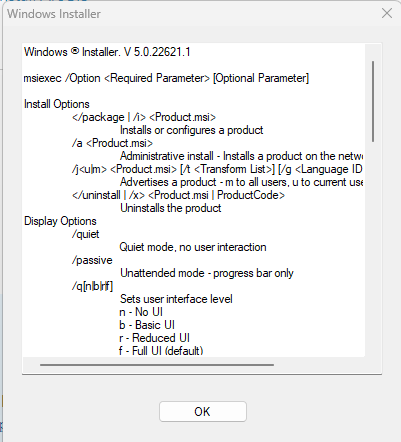
I have completed steps 1-4, but when I kick off the install, I get windows install box with some msiexec commands so I am guessing i have something incorrect in my syntax. This box just pops up, I click ok, it goes away and I'm left with a blinking cmd line again.
This is the cmd line I am using.
Any help in any area to help me get this installed will be greatly appreciated.
PS C:\GIS\ArcGISPro> msiexec.exe /a \ArcGISPro.msi INSTALLDIR="C:\Program Files\ArcGIS\Pro" ADDLOCAL=Pro ALLUSERS=2 ACCEPTEULA=YES ENABLEEUEI=1 CHECKFORUPDATESATSTARTUP=1 /qb


