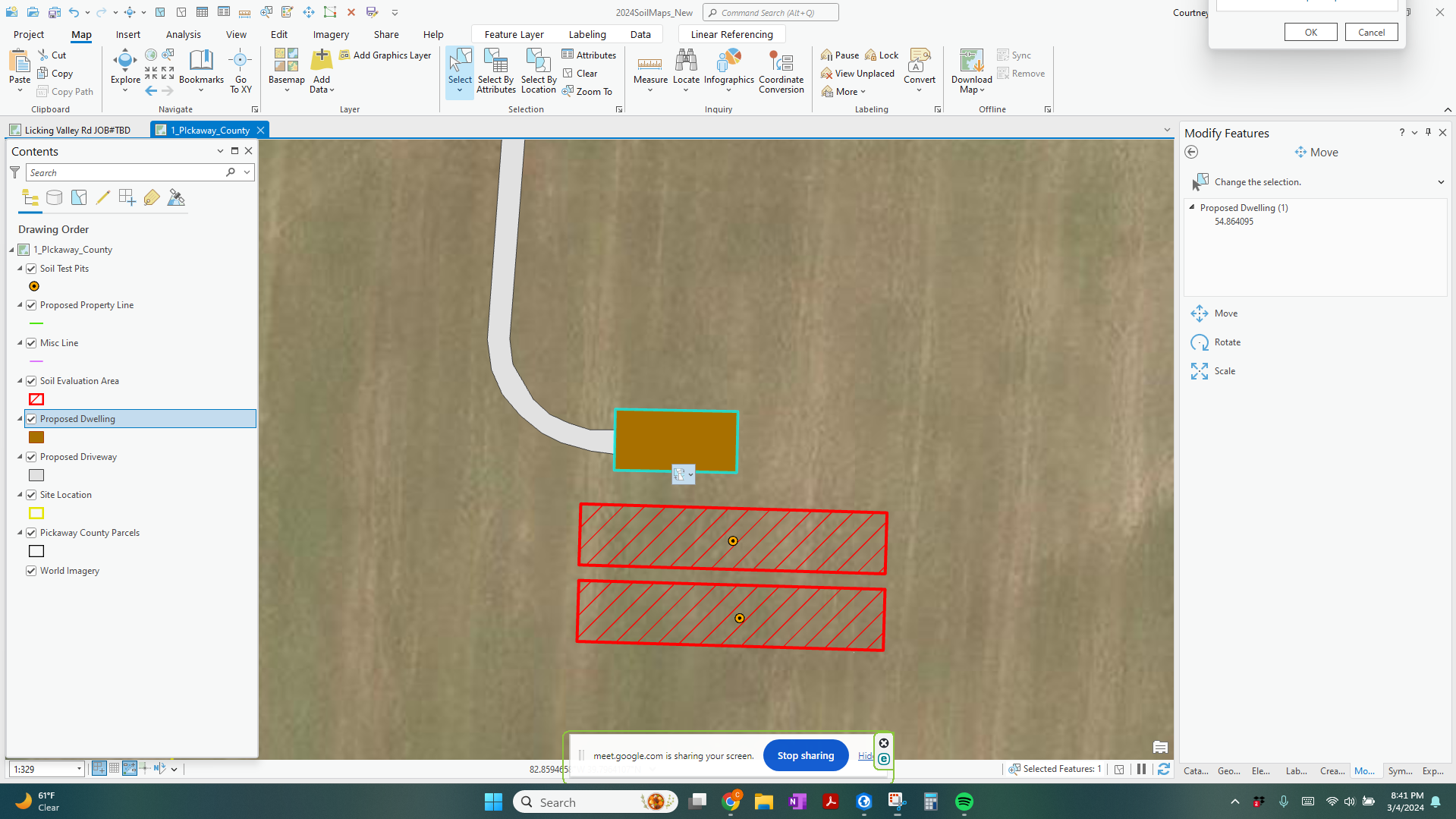
I am using ArcGIS Pro (up to date) & Windows 11 (also up to date). The Paste Special pop up is stuck off screen and I cannot move it. Since the pop up is in Pro and isn't a window none of the window fixes I tried worked. I messed around with the display resolution.... no luck, no matter what resolution I tried it was still off screen. I tried using Alt+Space+M and that didn't work because a search box kept opening. I spent 3 separate nights working with 2 separate Esri service people who helped me delete and re-install pro... that didn't work. I think they gave up on me bc they were going to look into it some more and contact me, but that was almost 2 weeks ago. I spoke to 5 different IT people and they seem to think it is an Esri problem because it is only the Pro having the problem and it is only the one pop up (all others are working fine). Seems like a silly problem to have I know....I am out of ideas and patience and would really appreciate any suggestions. Thank in advance for your help!
PS I have included a snapshot below...Hope you can see my little pop up box stuck in the upper right corner.