I have a points feature class with our business's clients that I am trying to visualize for the execs. I'd like to be able to cluster the data, and to show client type via colour (this works) and the cluster size to be based off of revenue $. The default is for the cluster size to be based off the number of features within the cluster, however, and I can't figure out how to change this.
For what it's worth, the cluster size doesn't appear to be based off of anything I can figure out. The cluster labeled #1 has 3 clients in it (total revenue of ~200k), and the cluster labeled #2 has 91 clients in it (total revenue of nearly 2 million). The relative sizing of these no matter how you look at it is obviously very off.
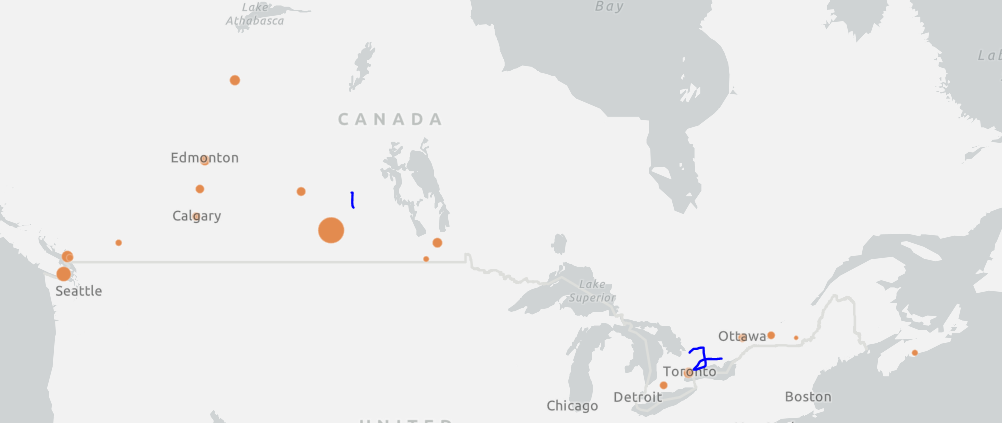
Is there anyway to change the size of the cluster? I have tried setting the proportional symbol based off of the field value for each object, but that changes when I turn on clustering.
Thanks so much!





