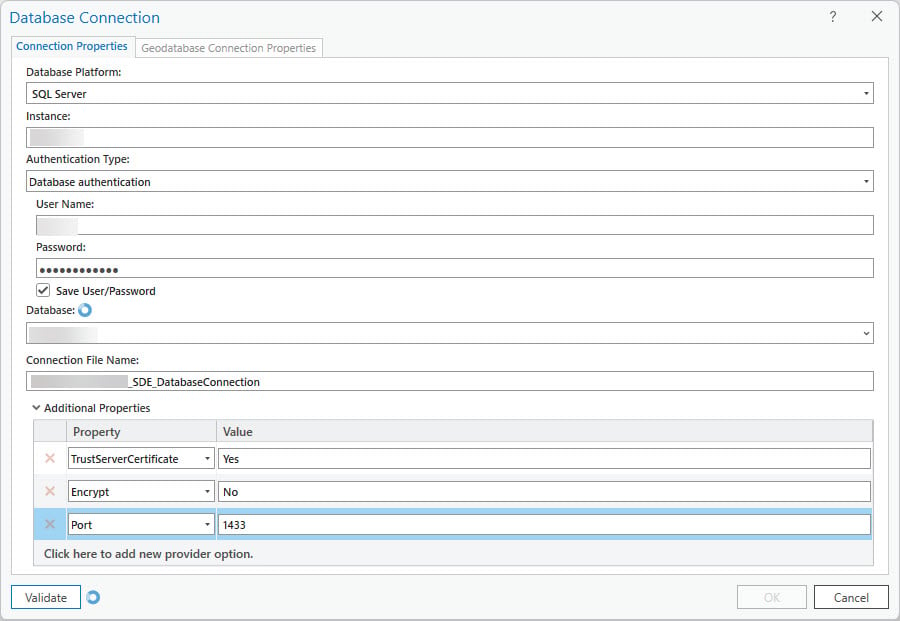
I have an issue with ArcPro 3.2 (currently working with the latest version 3.2.2) where we cannot connect to the Microsoft SQL Server 2022. We recently upgraded to MSSQL (from 2012 - actually 2022 is now on a new server) and when I try to make a database connection in ArcPro, the connection hangs up and hangs up ArcPro and I have to force quit. I have the latest MS ODBC 18 connector installed (I tried both the version from ESRI and the one from Microsoft which is a bit newer), and I turned on a tracing log for SQL and it appears that ArcPro is using this ODBC connector. I tried different combinations of options for the connection (trusting the certificate = No and Yes, encrypt = No and Yes) and still always the same behavior. And I can still connect to our MS SQL Server 2012 database.
I can connect to the SQL 2022 database using the stand-alone ODBC connection and in MS Access and can also connect in SQL Server Studio, so I think this issue is with the ArcPro/ESRI software using the ODBC Connector to connect to SQL Server 2022. Our ArcGIS Server (10.91) also cannot make a connection to the new database as well (MS ODBC 18 is installed on our Server machine). Attached is a screenshot of the experience when trying to make a connection (I either try to select the database or validate or click OK and it hangs up indefinitely - little blue spinning circles - no errors returned - I do get expected errors if I enter the wrong pw or server name). Any thoughts or advice or similar experiences is appreciated because I am out of ideas.