Hello,
I'm attempting to recreate an app in Experience Builder and I have a few issues that I'm trying to work through, and any guidance would be appreciated - even if the answer is "you need Developer Edition to achieve this."
#1: Toggling Visibility
In the existing app, there are three filter buttons that toggle the visibility of the feature. I've replicated this in Experience Builder by using the Filter widget, with a Horizontal arrangement style and Button activation style. I'm using the SQL expression (OBJECTID = -1) to create the toggle effect, however this means that when the button is in the 'Active' state, the layer is hidden.
| Default State | Button toggled on |
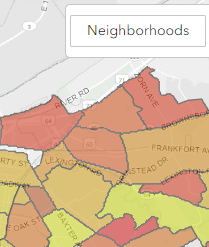 | 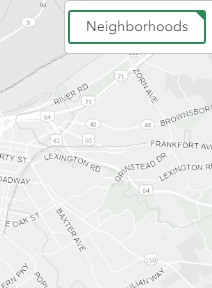 |
Visually I would like the opposite to occur, or for the logic to be reversed. Is this possible?
#2: Highlighting feature data on hover
The existing app has a list of municipalities, and users could hover over a municipality to highlight it on the map. In Experience Builder, I'm using a filter with a customized SQL Expression; I use the clause (MUNI_NAME = ?) and selected 'Ask for values' so a dropdown appears.
I haven't been able to find a way to highlight the polygon on hover - is this possible?
The best I can do to focus on the municipality is to zoom into it when selecting the name in the dropdown. But this hides all other municipalities - I would like the visibility to remain unchanged, while the program zooms in on the selected municipality.
Is this possible?
#3: Filtering large amounts of data with user select
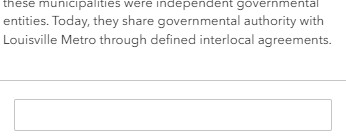
The Municipalities feature layer has over 100 municipalities. With the existing app, all municipalities are listed. I recreated this in Experience Builder with another Filter widget, and used the SQL Expression Builder to select 'Ask for values'. However, the values do not appear for municipalities as there appears to be a limit to how many values can exist within feature data. When the limit is met, it just turns into a text field:
Is there a way around this limit? Is this a bug?

