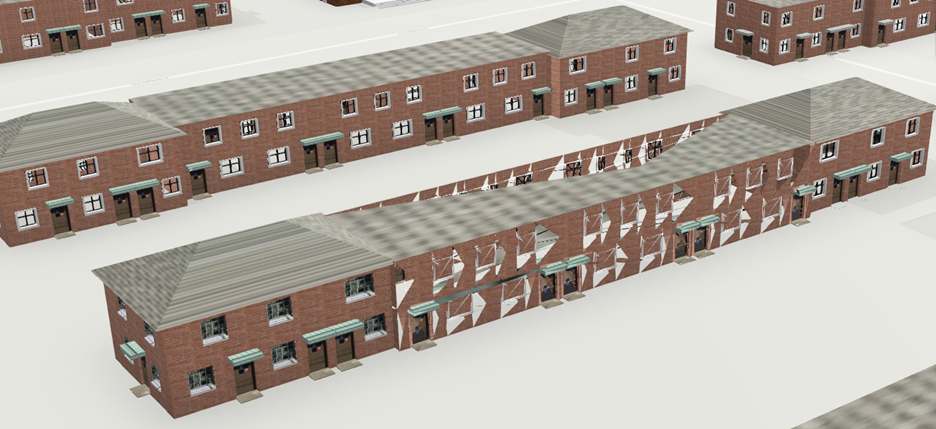
My team and I are currently working on exporting a CityEngine model in ESRI Scene Layer Package (slpk) format and uploading it to ArcGIS Online for visualization in the Scene Viewer. When most buildings of the model appear as designed, we have encountered an issue with one specific building, as shown in the attached image. All the middle buildings in other blocks share the same CGA rule and textures, and they are showing up correctly. However, in the case of this particular building, all the textures appear to be broken.
We tried to address this by removing the problematic building and replacing it with a copy of a similar building from the next block. Surprisingly, the issue persisted even with the replacement. FYI, this building looks correct in CityEngine. The problem only comes up when viewing the model in ArcGIS Online Scene Viewer.
If anyone has insights into the potential cause of this issue or suggestions for resolving it, your input would be greatly appreciated.