I am using the trick to have any Python packages I need sitting next to the script and then using one of these
sys.path.append(__file__) - way I use
sys.path.append(sys.path[0]) - way i see this in the help
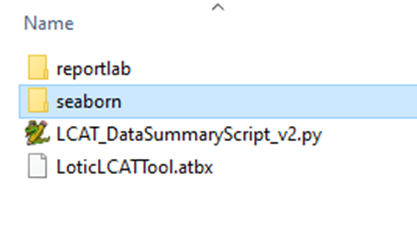
This gets around the issue where users need the packages installed. This all works great in a toolbox on the file system.
But when I go to publish this as a GP Tool ArcPro is scanning ALL the .py files down in the package directories. This can take hours! Plus then it throws all kinds of crazy errors.
Is there anyway I can stop it from doing this? I tried reference data and copy all data but it still does the big scan. The scanning and path changing it does has always been highly annoying and problematic but this is an all new level.
One idea is to path to the packages somewhere on the network instead but I think our server has almost no file system access to the network. Sub option is to have a common space where packages sit on the server but not sure if they will go for that.
Other idea is to keep those package dirs out, publish, then add then manually to the server dir. But not sure IT will let me do that.
Option 3 is to add the packages to Python on the server but IT has a big no on that.
So has anyone got this to work?
thanks for any ideas.


