Hi everyone,
Have any of you come up with below issue with recent update in AGOL? Please see what one of our
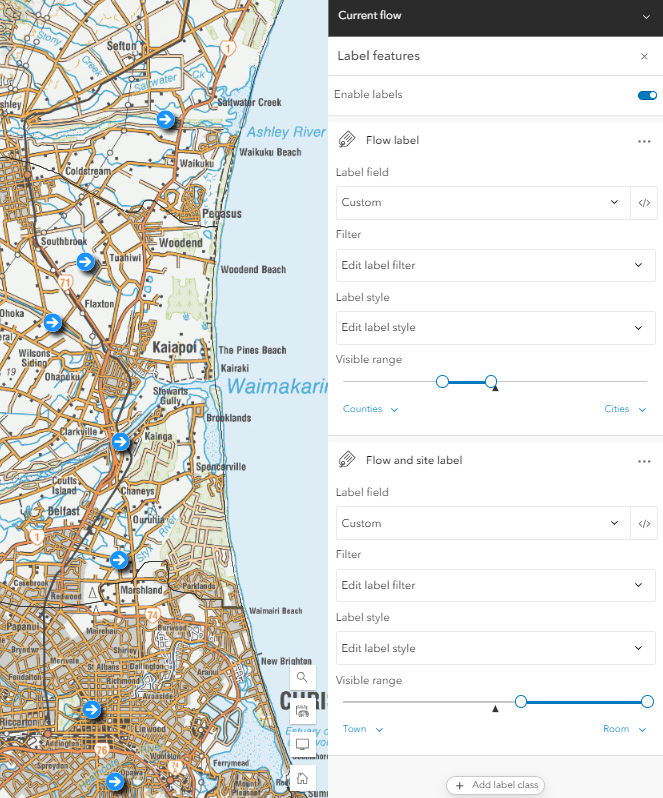
If I apply the below settings to the view layer (First label = Counties – Cities. Second label = Cities – Room), I get the duplicate label problem in the map, and in both apps (ExB and Instant). These are the view layer settings that I’ve been using for a while, and have been working fine up until the last week or so. At the scale shown below (1:288,895), I should only be seeing the first label, but am seeing both.
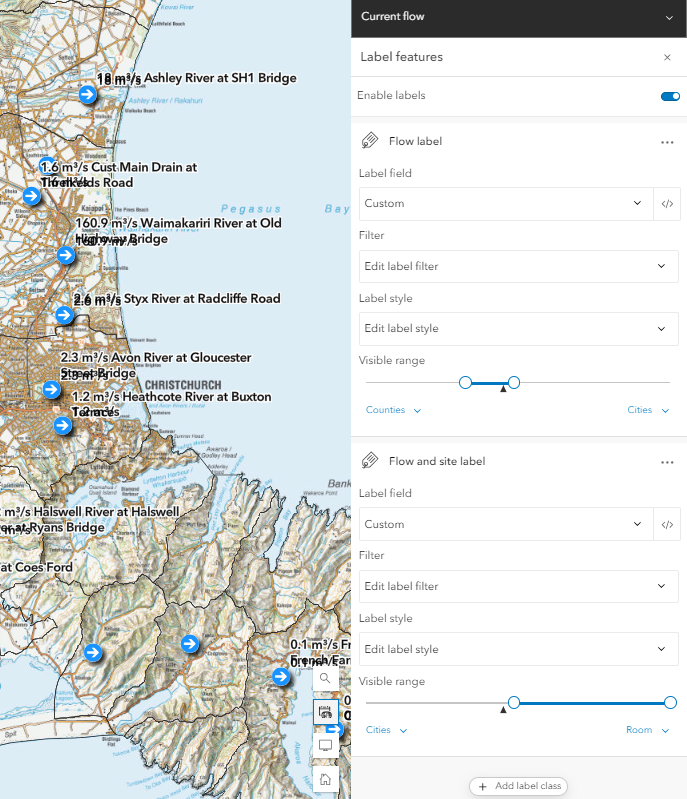
If I change the view layer settings to the below (First label = Counties – Cities. Second label = City – Room), the labels still don’t function as expected, but it resolves the duplicate label problem in the map, and in the Instant app. However, the problem persists in the ExB app. At the scale shown below (1:144,448), I would expect to see neither label, but I am seeing the second label.
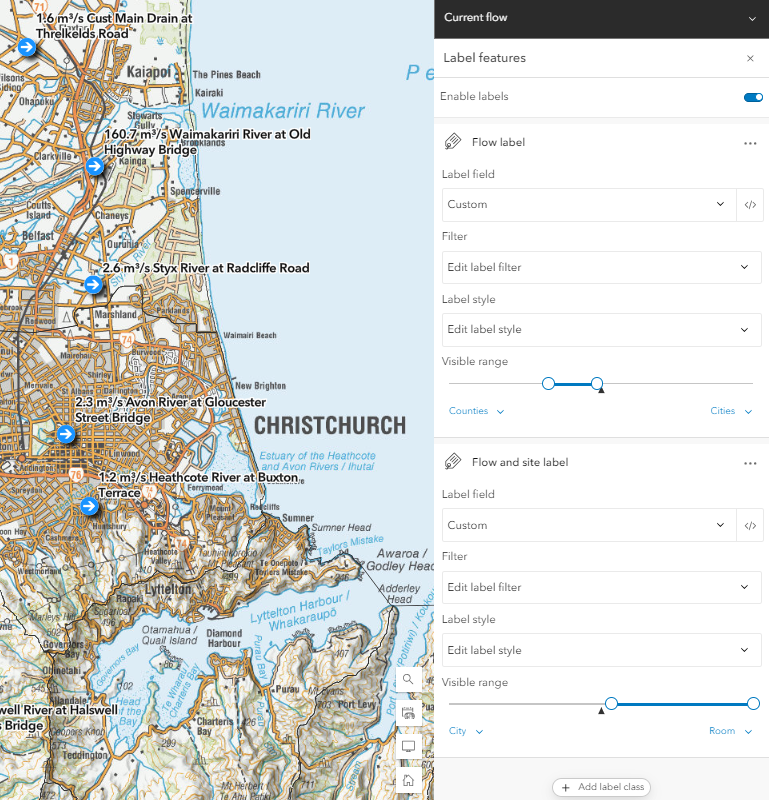
If I go a step further and change the view layer settings to the below (First label = Counties – Cities. Second label = Town – Room), it resolves the duplicate label problem in the ExB app, but leaves a scale in the map and Instant app where no labels show.
So it seems that the core problem is actually with the map, but it is manifesting differently between the map/Instant app and ExB. Would be great to get a steer from ESRI as to whether this is something that can be fixed quickly, or if we should forge ahead and implement this workaround solution so we can get the ExB app running in the meantime.