Hi everyone,
I'm running into an issue in ArcGIS Pro that has me scratching my head. I'm currently using the World Terrain Basemap with labels, and I love how the labels of this basemap look in my map tab.
The Issue:
When I export my layout, I always choose a high-resolution .tif file (file size is not a concern for me), all the detailed labels from my basemap as shown in my map tap disappear. Instead, I get labels displayed at the increased zoom level of my layout tab.
What I've Tried:
I know the common advice is to right-click on the map to set a reference scale and then go to the basemap to enable "Scale Symbols When a Reference Scale Is Set." However, trust me, that's not an option for basemaps. If anyone can show me a video of doing this successfully, I'll gladly buy you a coffee.
My Question:
Are there any workarounds or settings I might have overlooked that would allow my basemap labels to remain fixed at a defined scale of my choosing when exporting the layout?
I'd really appreciate any guidance or help you could offer.
Thank you in advance!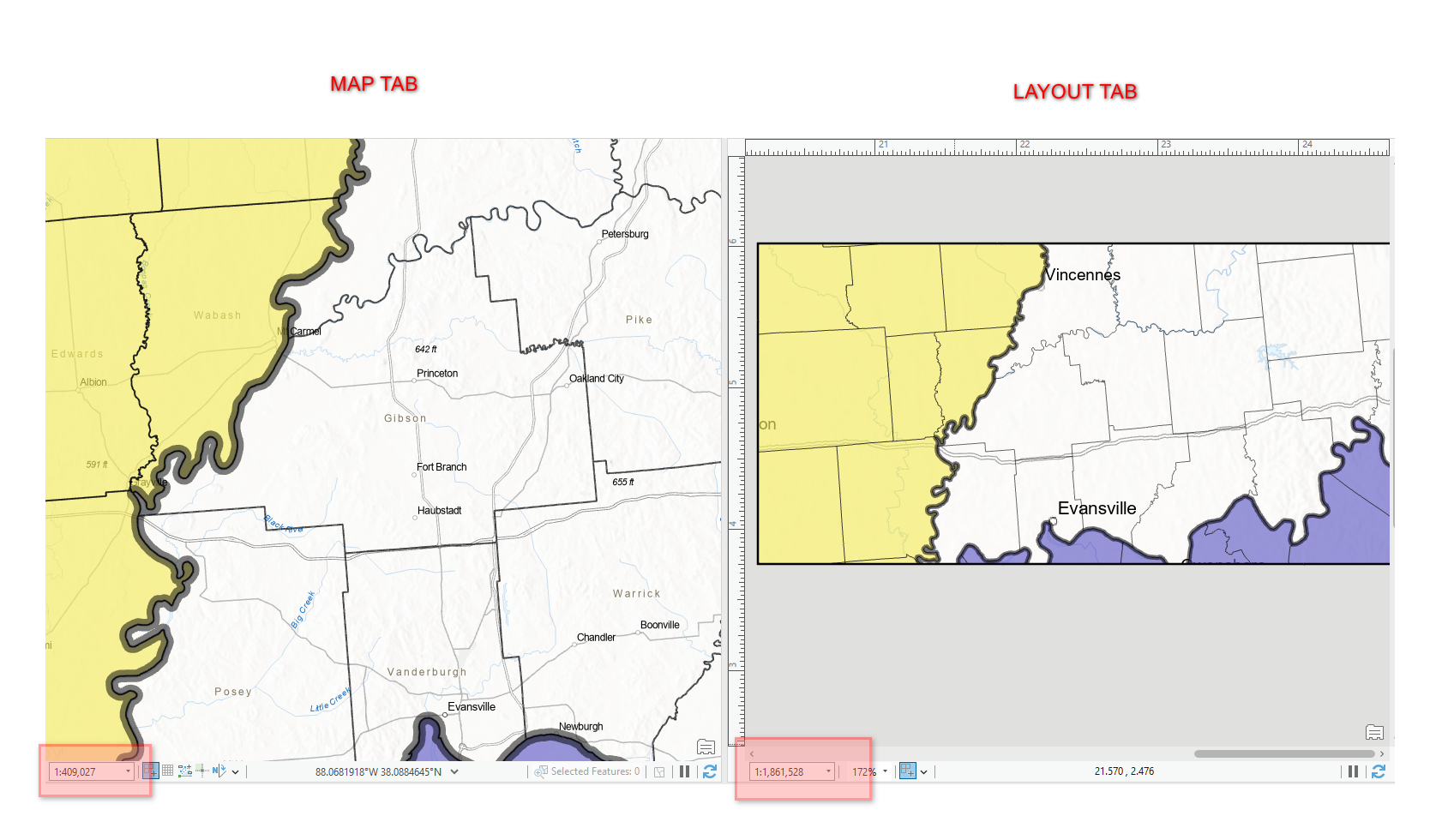
My desire is to retain all labels as shown in my map tab, when I export from my layout tab.

