Where do you save python scripts and modules for re-using across multiple projects?
That you yourself work on?
That you share with colleagues?
I'm not asking about how to share python modules or modify PYTHONPATH and so on. I'm interested in what conventions have you settled on as practical for your general operations in ArcGIS Pro. For example, I save my batch and powershell scripts that are used for general system maintenance in C:\bin. The corollory for tools that I and co-workers share is Z:\Tools\bin. Both of these are in PATH.
Having settled on a location, how do you make them available across projects?
To yourself? to co-workers?
As above, my question isn't about the technical how to package scripts but the practical day to day use of them. ArcGIS Pro defaults to extracting under "C:\Users\USERNAME\Office365_Onedrive_ORG_NAME\Documents\ArcGIS\Packages" which is a horrible path to refer to repeatedly. What's your alternative?
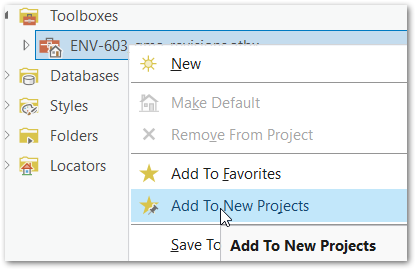
High value scripts can be added to a project toolbox and then "Add to New Projects" and be always at finger tips. What about things that are less polished? Something that does useful work but the doesn't warrant the overhead of adding parameters and tool validation etc. to make it a 'tool'.
Lastly, how do you work with other python projects that are not ArcGIS? Do you resign yourself to using Pro's built in Package Manager and cloning? Or just stay inside what's given and not reach for new cool things in python 3.11 and 3.12?
I've tried installing Anaconda/Miniconda alongside Pro (the built in one is dreadfully slow). I made a mess of things that wasn't straightened out completely until I got a new machine. Maybe an isolated experience though, there is a way to dance together cleanly, and I just fumbled.
Thanks in advance for your thoughts and experience.


