We are pleased to share the latest update for ArcGIS for Excel 2023.2.0.0.21 which has two new features, quality of mapping improvements and bug fixes.
Updates should be seen at once. If you do not see the changes, you may need to refresh or close Excel and restart it.
Feature updates:
- Allow Portal custom print templates.
- Specify Custom geolocators for ArcGIS geocoding functions: GETADDRESS, GETCOORDINATES and Helper Function, SUGGESTADDRESS.
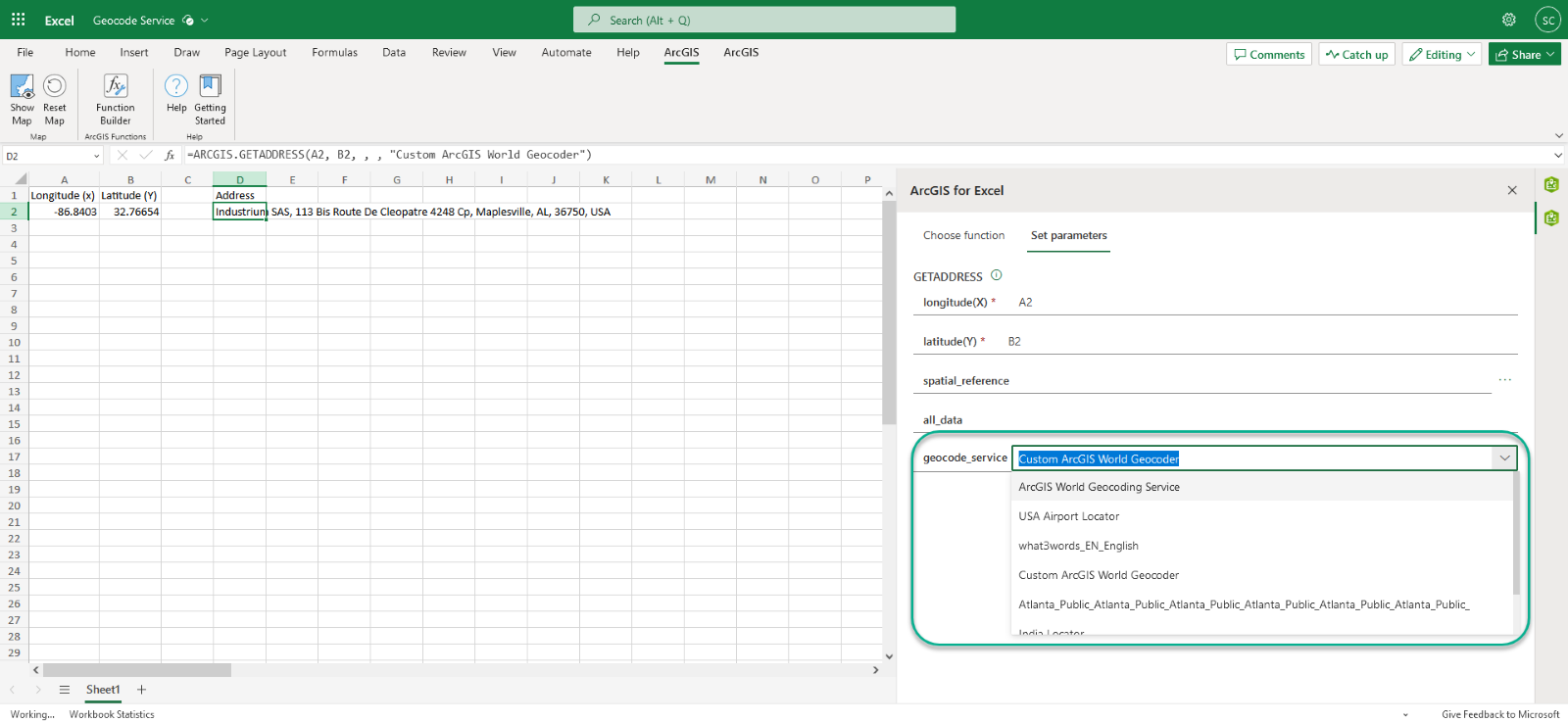
Quality of Mapping:
- Include service name information into ArcGIS Functions "service is not available." Message in the Enterprise environments.
- Redesign how users are alerted of Infographic error messaging.
- Improve readability of spatial reference names + WKID list.
- Sign In for Portal user would occasionally not properly load.
Several bugs have been fixed, including:
- Fixed BUG-000160881 running the ARCGIS.GETCOORDINATE function with a composite locator returns the following error message, "Value Not Available Error."
- Layer setting options are disabled for private layers when the user is signed out.
- Making edits or adding new feature in the attribute table was not displaying the correct warning message, "Inserting new features is not supported at this time.”
- When a Web map contained a WMS service it would cause the map to freeze.
- Infographic card would display the number at same time as error message.
- Long locator name caused UI issues when using the Search widget.
- A non-descriptive error appears when attempting to add a layer that has an incompatible web map version.
We listen to you and are continuing to implement the suggested enhancements. If there are other areas of improvement for ArcGIS for Excel that you would like to see covered in a future blog post, please leave a comment below.
Till next time!
