Hello all, and thank you in advance for your help!
I am in the process of changing around a template for Survey123 to collect damage costs in the event of a disaster. I will eventually put this data into a dashboard to display the costs associated by county. There is a certain threshold that must be met by each county in order to qualify for assistance. The point of this dashboard is to track how close we are to meeting this threshold in each area (it is a different amount for each county).
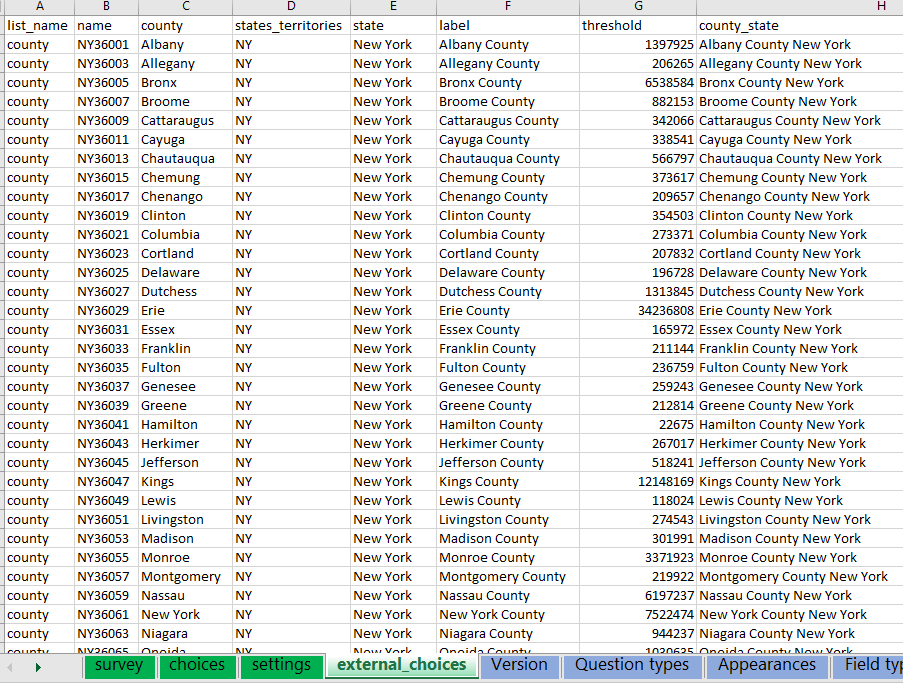
I figured this could be a simple addition to the code in XLSform, keep it hidden on the survey, and then call to it in the feature layer and dashboard. I created the row for it, I added the column to the external_choices sheet, and tried to use a pulldata() formula to get the requested threshold amount so it would display once the county selector is activated in the dashboard. The problem is, although the new field is populating in the survey data, there is no value associated in the field. Below are photos of what I have input so far; the external_choices sheet, the code in the main sheet (2 photos), and the output in the feature layer in maps which is also blank in survey123 and when tried to input in the dashboard.
I have tried changing it from string to integer, deleting int, making the type hidden/text/note/calculate, changing the appearance, switching around the columns in the external_choices sheet, etc. I have saved the excel workbook, reloaded the survey, republished the survey with each change, resent the surveys in the app after changes are updated, and relinking the feature layer in the map. It still does not give the information I am trying to pull. I feel like this should be simple - what am I missing?