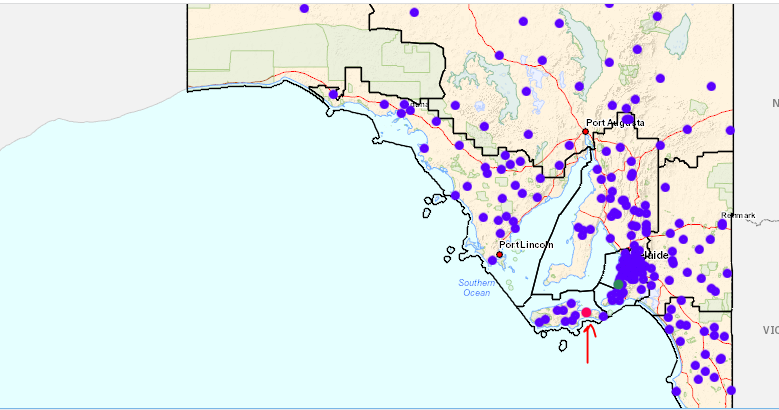
I done bellow steps but color doesn't change to the previous after mouse move:
1- created a feature layer with graphic source and set renderer to blue color
2- set green color for specific points on the map after click. I used bellow code for changing to green color:
response.features.map(function (graphic) {
let stationGraphic = graphic.clone();
stationGraphic.symbol = pointSymbolGreen;
}
mainView.graphics.add(stationGraphic);
});
3- set red color on mouse move event as:
if (geometry.type === "point") {
if (mainView.graphics.length) {
for (const mapGraphic of mainView.graphics) {
if (mapGraphic.geometry.type === "point") {
if (!selectedStaionIds.includes(mapGraphic.attributes.StationID.toString())) { //remove all point colors except green ones
mainView.graphics.remove(mapGraphic);
}
if (selectedStaionIds.includes(layerAttribute.toString())) { //remove current green color
mainView.graphics.remove(mapGraphic);
}
}
}
}
graphic.symbol = pointSymbolRed;
mainView.graphics.add(graphic);
but specific points remain red after mouse move instead of green like bellow. The code works fine for blue points!