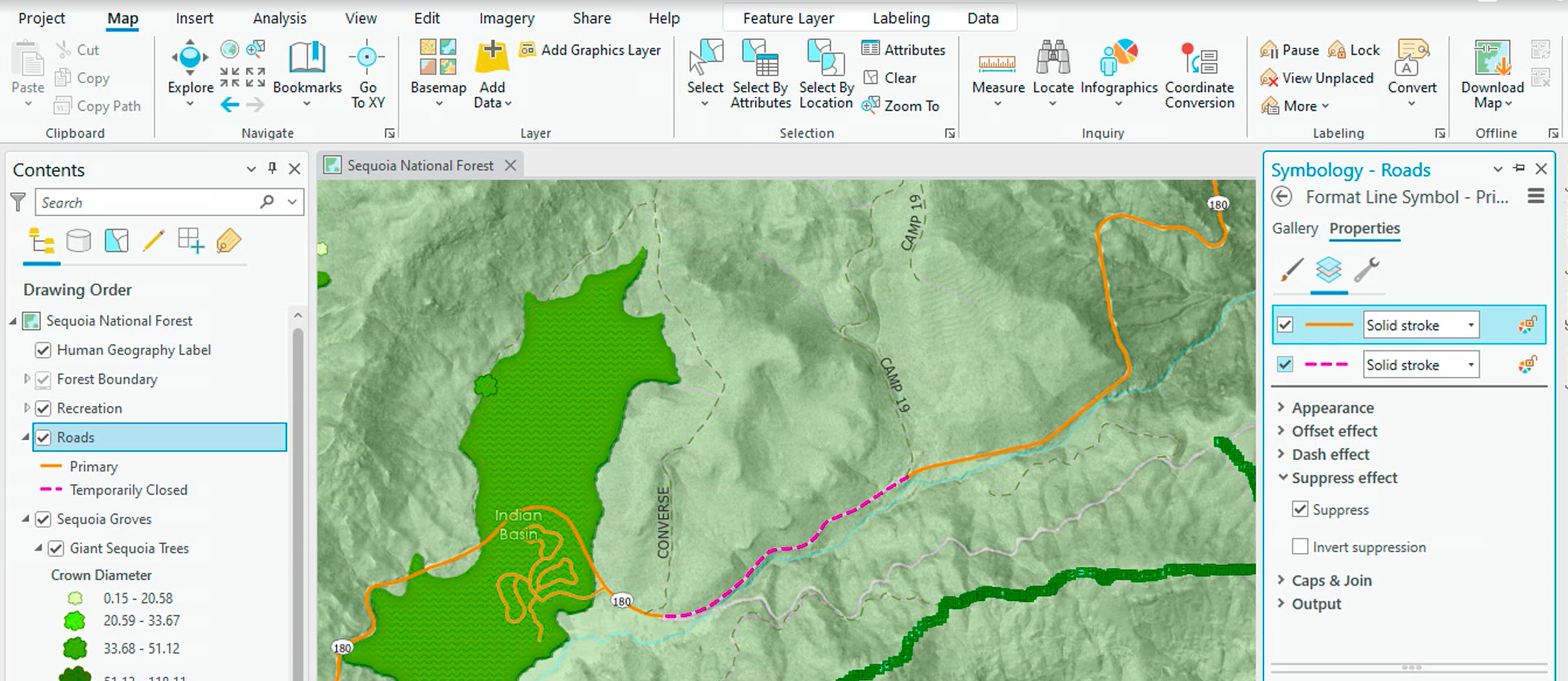
During the 2023 ESRI UC Plenary, I saw a great way to use the "suppress effect" and control point editing to cartographically remove a line segment.
https://mediaspace.esri.com/media/t/1_oshgsnmd?st=6105
However, when I try to employ this effect, I cannot show the suppressed section with a different symbol. I added a second symbol layer, added the suppress effect, and turned on suppress. This allows me show the whole line as one symbol and the non-suppressed section as another. I want to show the suppressed section as one symbol, and only the non-suppressed section as another. It looks like "invert suppression" would allow me to do this, but the invert suppression toggle doesn't do anything. Is there a tutorial or blog post to set up this suppress effect like presented at the UC?