Good morning all,
I have not attempted this before and have followed a number of videos and documents to try to implement this but keep failing! Any help would be gratefully received.
Just quick background. I was tasked with creating a survey for bats. Originally I was going to create this in field maps but given that select multiple isn't supported I I have read about the work around but that isn't an ideal solution). There is historical data and data is collected at known roosts once or twice a year, so rather like an asset inspection, the questions for this part of the survey are based on a paper survey form. This year two new sets of data need to be collected related to threats to the roosts and measures that should be implemented to prevent any decline in bat numbers at a roost.
I created a point feature layer in Pro with all the historical data and then tables for the survey, threats and measures. Potentially there are multiple threats and measures at a single roost. I created relationship classes for the tables to the feature layer based on GlobalID and GUID fields. The feature layer was published to AGOL online and configured.
I created a form from the feature layer in Survey123Connect. There is a need for repeats for the both the Threats and Measures questions. I can't publish the Survey, I have made a mistake somewhere possibly many a but can't track it/them down.
When I try to publish to AGOL form Survey123 Connect I get this error:
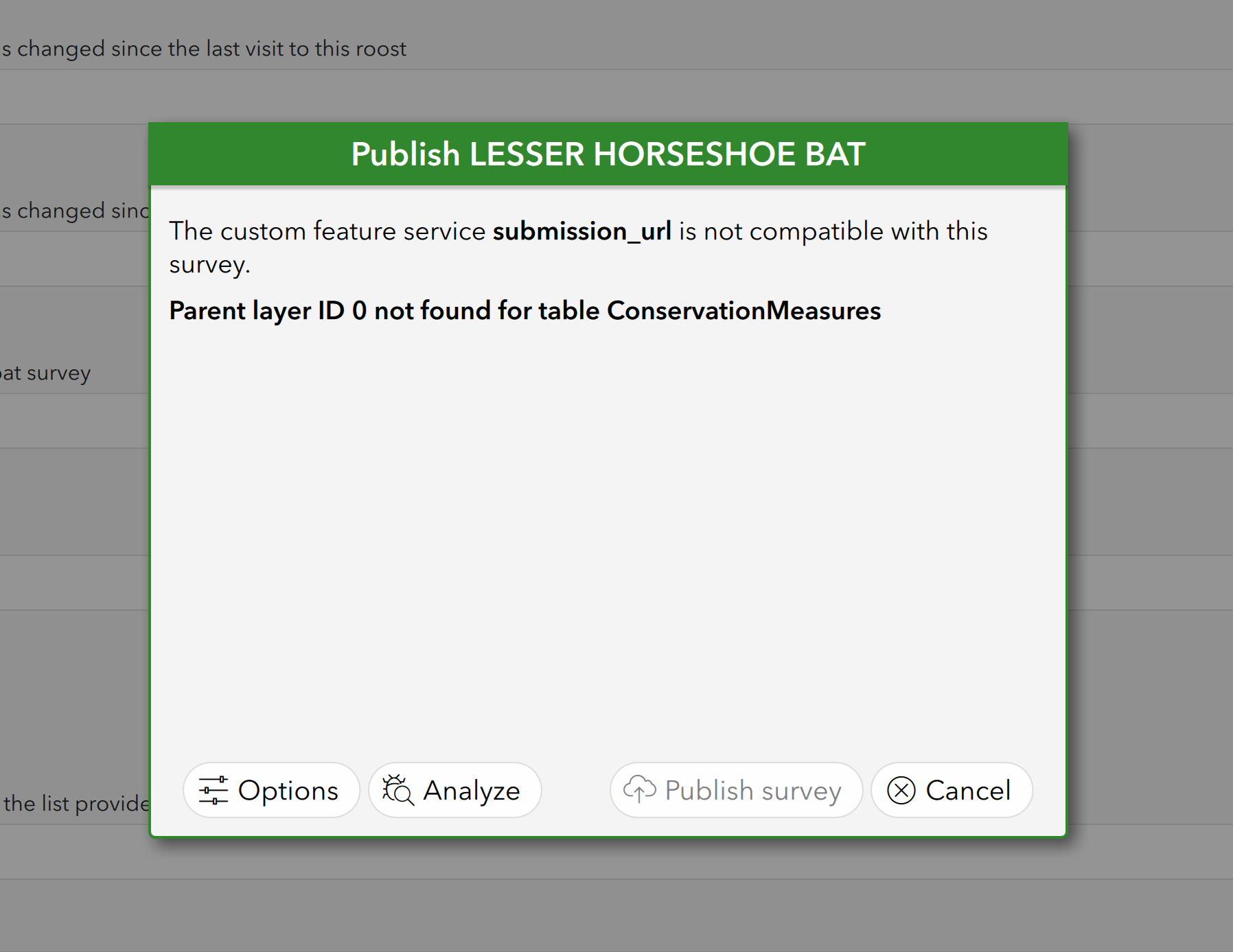
I am also attaching the Survey123Connect form.
You will see there is hidden GUID field associated with each part of the form that is based on a related table. I tried with just a single GUID field after the final question but that didn't publish either. It got to the same point as above. I couldn't find any information online or examples of people having multiple related tables. Perhaps the answer is to have three Survey 123 forms each print to the same feature layer and the associated related table. That is only a guess though.
Thanks in advance for any pointers and apologies for rookie errors.




