Howdy all,
I started a new survey in Survey123 Connect, using the Advanced template version 3.18 released 2023-06-13. I'm getting errors I haven't seen before regarding the name and label fields.
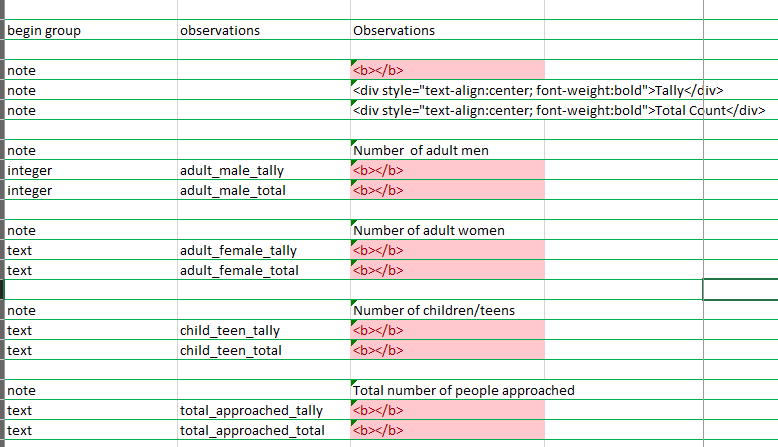
I use the note type for spacing in groups and for headers on lists. It's my understanding that the note type doesn't need a name set. Also, while the label column for a row can't be blank, something like <b></b> can be used. This works in my previous surveys.
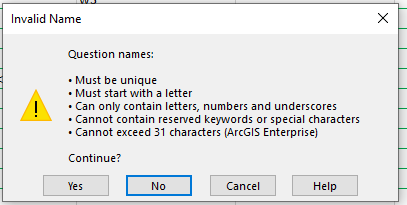
One error I'm getting is that all the label columns with <b></b> (except the first two, ??) have red fill. I've seen this with duplicate names, but not labels. The other error I'm getting is Invalid Name, but the strange part here is that this only appears when I edit one of the red label fields. I can click Yes to continue despite this error, and the survey saves and seems ok in Connect. I've also tried changing the words 'Count', 'Total' and 'total', but this doesn't change anything.
Any ideas what's going on? Thanks!