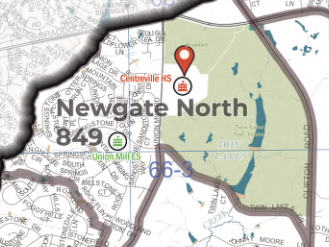
I've been contending with color management options on export a lot recently and I seem to be in a catch 22 between CMYK and RGB. Initially, this dilemma started in Pro 2.9.5, but has continued into Pro 3.1.
On the one hand, CMYK looks clearer and does not cause any issues with opening and printing an exported PDF. However, these simply are not the colors in my project and they are much darker all around. All of my color management settings between the project, the map, and the layout are CMYK and the same profile upon the darker export.
When all the color management options are switched to RGB (all the same profiles), the colors all stay the same in the project, and the export and subsequent print looks just like the project. However, the issue is that it causes file size and ability to print issues with the PDF for some reason.
Ideally, I would like to stay with CMYK so our local print shop can handle our requests without their own headaches, but constantly testing colors only to find them not be the same on export has become too time consuming to produce my deliverables. It does not seem to matter how light and/or transparent I make the colors, they are darkened considerably. I have tried symbolizing the roads especially with combinations of different shades of grey and varying levels of transparencies. Talking with an ESRI rep about this in January essentially boiled down to "just stick with CMYK if you're going to print, RGB if you're not" without providing a reason for the darkened text. I've seen similar questions on the community, but have not found a direct answer about this type of situation.
Image 1: ArcGIS Pro screen cap
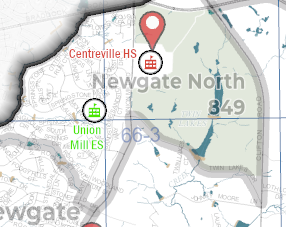
Image 2: PDF export with RGB color management
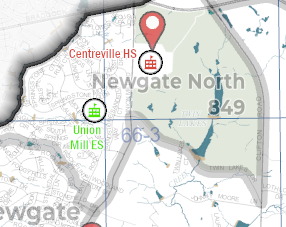
Image 3: PDF export with CMYK