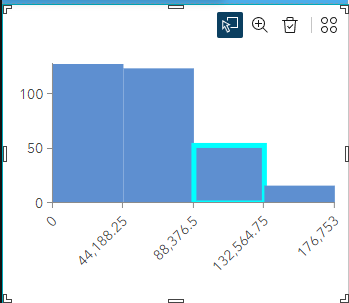
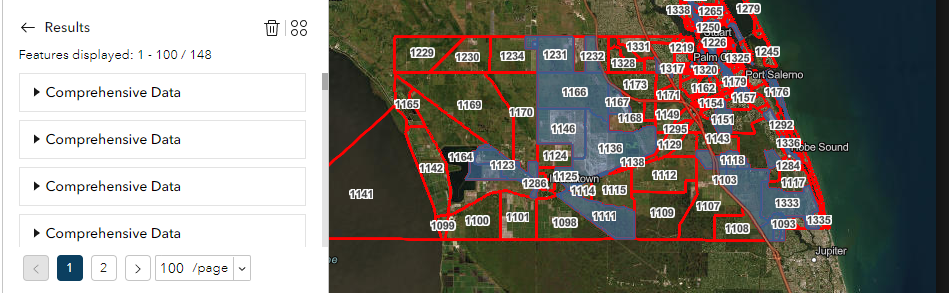
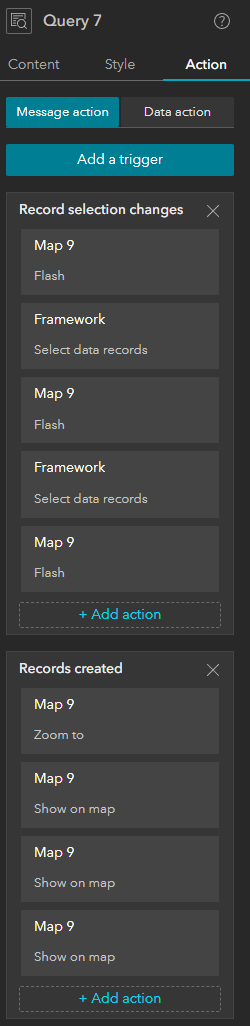
I started learning how to use the experience builder over the past 5 days, I have run into an issue multiple times now where, my current problem is that I have household income data for each zone, I want to set up brackets of 0-50k, 50k-150k, 150k+, I am not on an enterprise account and I cant use any widgets that require a sign in or that use credits as this is for free use by planner. I want to have the user click a bar on a chart which would select each feature that was used to make that bar as seen in the first image, this only partially works, I am able to add a filter to the action tab so that when it changes selection it will highlight the the zones that meet that filter, Great I will just do that for each bar; and it doesn't work, if I add more than one selection filter, or a separate selection with its own filter for the bars, it 1 stops working completely, or 2 it just selects the newest selection filter regardless of the bar I select, I get it to flash when one is selected but they all flash at the same time and at different frequency's, as well as I cant change the flash color. Fine ill use the query tool, I set up the filters and set up flashes for each one which does work however each of the flashes are all the same color and I cant find a way to change the color again I then see that there is an action so that when records are created it highlights them I a color, however when I try to have multiple of these with different colors it always picks the last one to be added, query is also very clunky and confusing for a user who i want them to be able to do. I can do just a normal filter but that just removes zones from the layer not add and overlay or select them, I cant really do lists because I cant figure out how to only show just one element in the list that represents an entire group that has the same element in the feature.
Is there anything I can do to make this forsaken program do what I want or am I boned?