I have a requirement to process some features from a feature layer in ArcGIS Online to merge them together based on unique combinations of attributes and write the output to another feature layer. We want to do this in a scheduled notebook, but have been having some issues with the union operation when it comes to creating multi-part polygons.
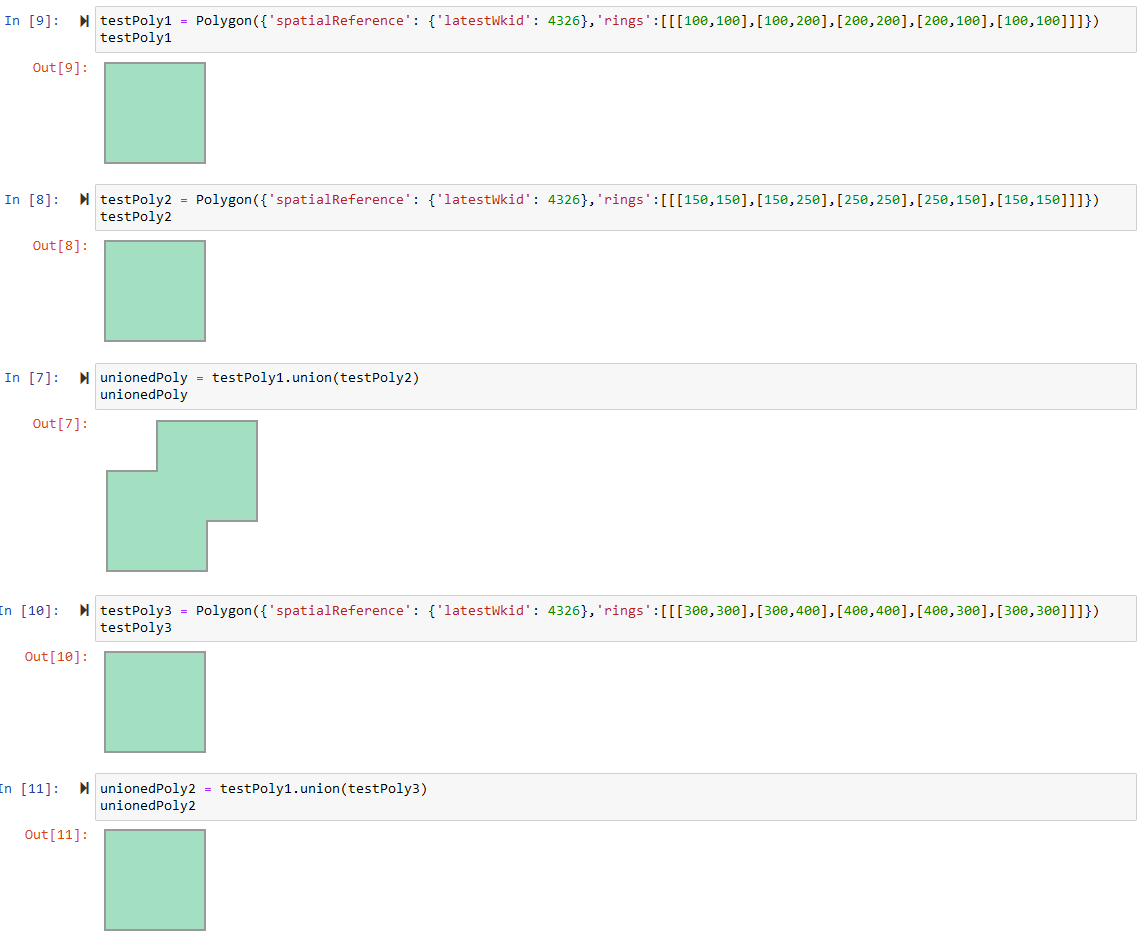
When I union two polygons that are disjoint (not intersecting) I expect the union operation to create a single multi-part polygon, as it does in desktop and arcpy. However, when we do this in a standard ArcGIS Online notebook, the result is not a multi-part polygon, but just the first of the two polygons used as input.
The below is a test using an ArcGIS Online notebook. When the input polygons are intersecting, the union works as expected. However, when they are disjoint, it doesn't work as expected:
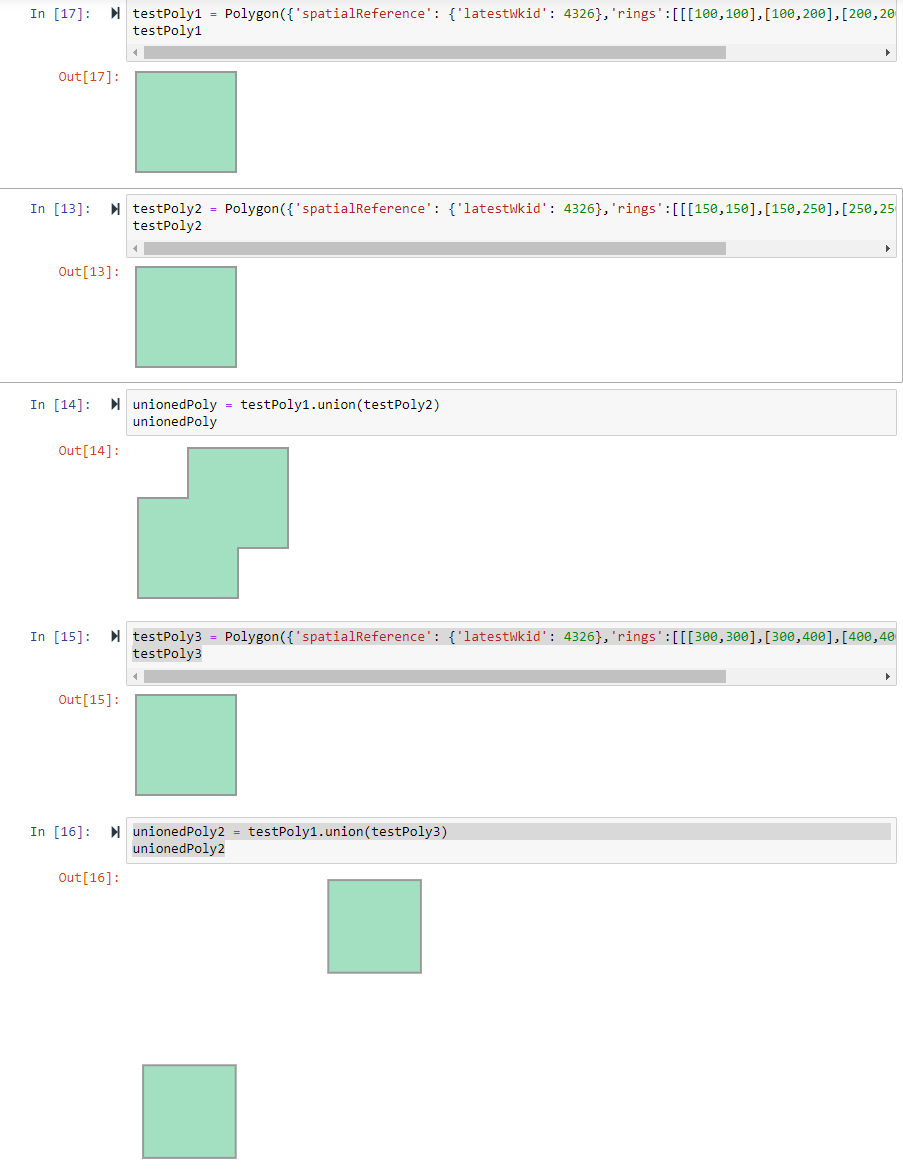
I have tested the exact same notebook code within ArcGIS Pro and get a multi-part feature when the input polygons are disjoint (non intersecting), which is expected:
I have attached the test python code.
I know there are some differences in the way the API works in ArcGIS Online vs ArcGIS Pro, as arcpy is not used in the standard Online notebooks. However, the documentation for the API seems to suggest union is supported and will use the shapely library when arcpy isn't available.
It seems like a fairly basic thing to want to do, so does anyone know how to get this union working, so that unioning two disjoint polygons results in a multipart polygon, in an ArcGIS Online notebook without arcpy?
Is there something specific I need to do to use shapely?



