Hello,
I hope to get some help to export a layout using arcpy.mp with a full view of the scale bar and WITHOUT any manual steps. This is what the export should look like:
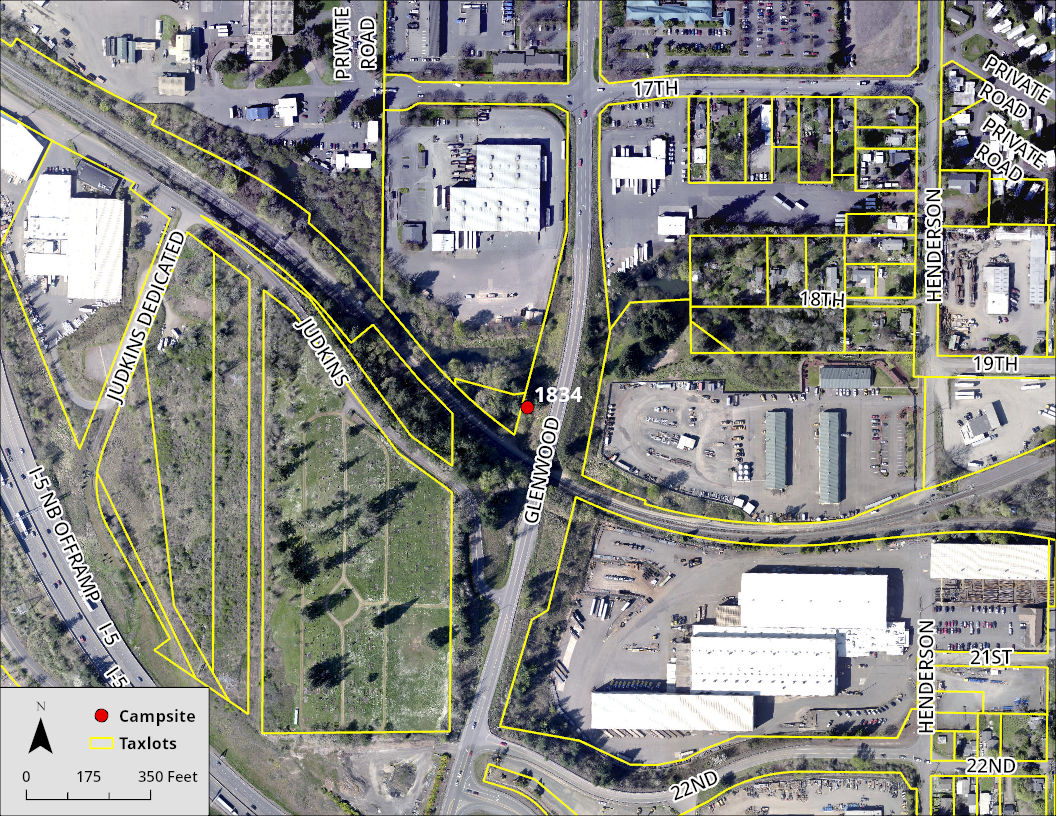
But what I can get without manually saving a copy of the project looks like this:
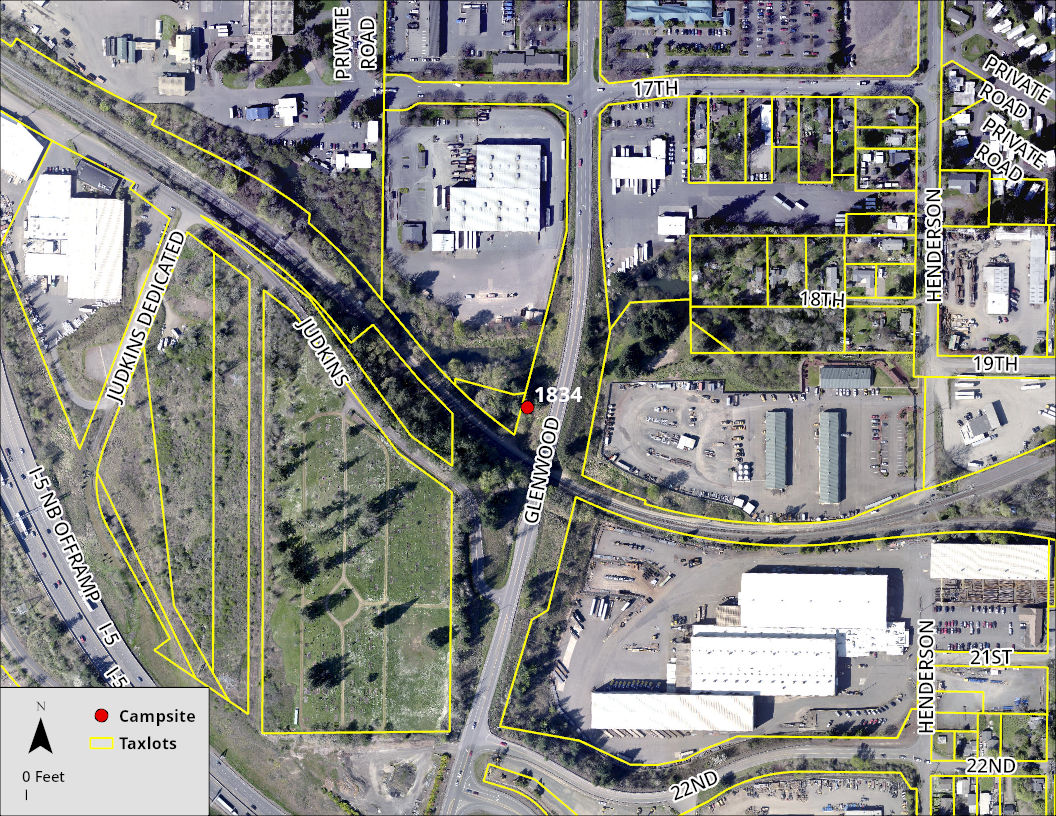
It looks like the initial view of the layout when I open the ArcGIS Pro project and when the scale bar is not fully shown. There is a step to zoom-to-layer before the layout export.
aprx = arcpy.mp.ArcGISProject(path + "\\IllegalCampsMap.aprx")
lyt = aprx.listLayouts("Map*")[0]
mf = lyt.listElements("mapframe_element", "*")[0]
m = aprx.listMaps("Map")[0]
lyr = m.listLayers("Campsite")[0]
mf.camera.setExtent(mf.getLayerExtent(lyr, False, True))
lyt.exportToJPEG(path+"\\"+lyt.name+".jpg")
If I save the project manually after the zoom-to-layer with a different name, the export looks okay.
aprx = arcpy.mp.ArcGISProject(path + "\\IllegalCampsView.aprx")
lyt = aprx.listLayouts("Map*")[0]
lyt.exportToJPEG(path+"\\"+lyt.name+".jpg")
I am trying to avoid the manual save step. I did try some workarounds including saving as a different project. Can anyone help explain the reason why I can't export the full layout view and offer a solution? Any feedback is much appreciated!!

