Hi -
I am using Experience Builder to pass the geometry and attribute information from a feature layer in a web map into a Survey123 form I own.
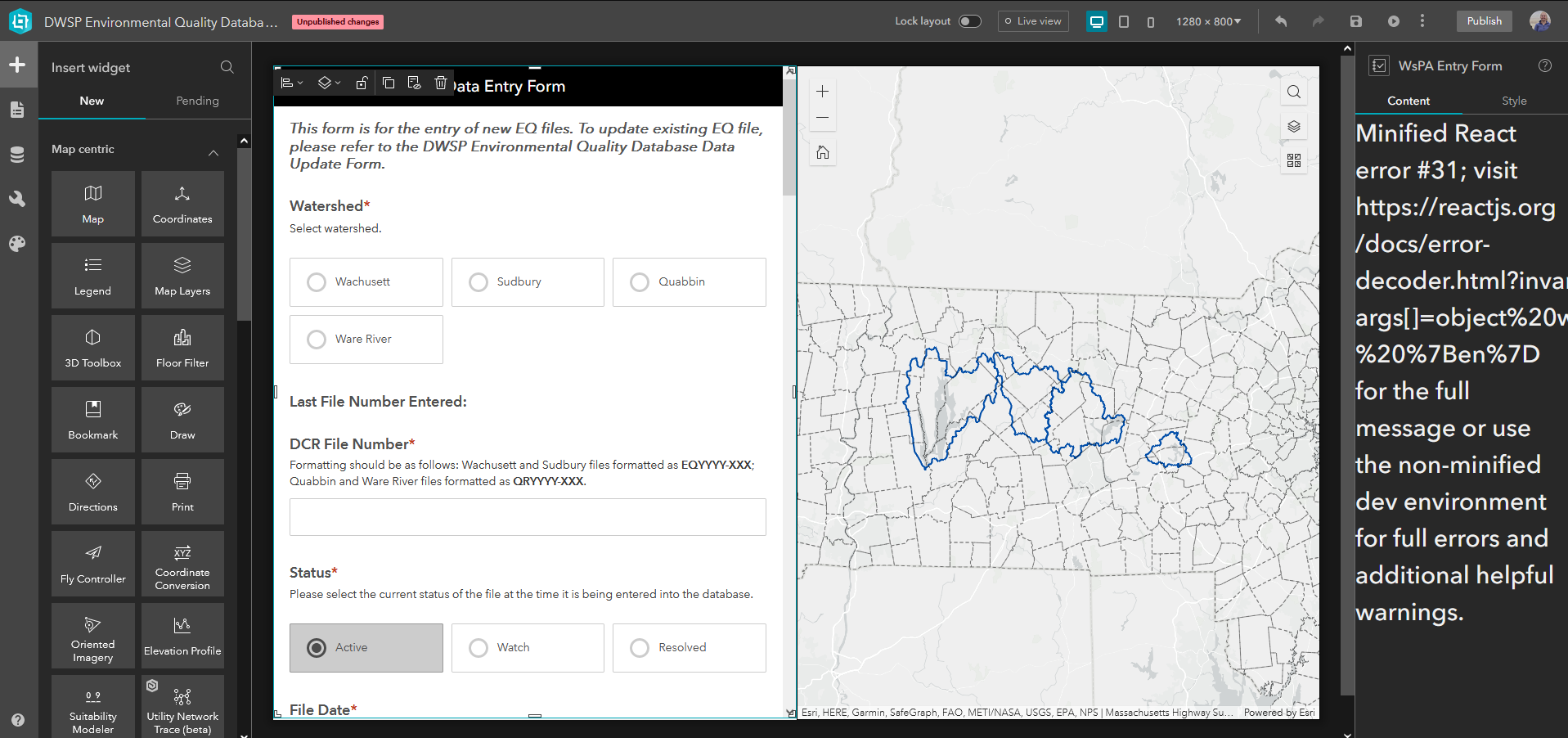
This had been configured and working well, however, I switched the "source" layer (source of the geometry/attributes) in my web map and need to re-connect the layer to my Survey123 form within Experience Builder to continue passing this information from the web map/selected layer into Survey123. When I go to re-configure the Survey element in Experience Builder, I see this error in the config pane on the right as soon as I try to make a connection between the layer in my map and the form. See screen capture below.
Error:
Minified React error #31; visit https://reactjs.org/docs/error-decoder.html?invariant=31&args[]=object%20with%20keys%20%7Ben%7D for the full message or use the non-minified dev environment for full errors and additional helpful warnings.
I have tested in Firefox and Chrome and see the same problem. Attached is a screen capture of the issue.
In addition, this is occurring with a Survey123 form that threw this bizarre error out of nowhere on Monday. See this GeoNet post for details; I am unsure if this new problem is related to this error or if this is something different. I do have a technical support case open, but wanted to post here as well in case anyone had insights.
I have republished a new Survey123 form, saved a new copy of the web map and tried creating a new Experience to see if this resolved my issue, however the error still persisted.
Please advise,




