This is related to Realigning route confuses Attribute Rules - Esri Community and probably has the same underlying cause but I am posting it as well because it represents a simpler example.
I'm using ArcGIS Pro 3.0.2, ArcGIS Enterprise 11 and Location Referencing license that came with ArcGIS Roads and Highways. However, the problem I describe here is also reproducible when testing using a File Geodatabase in place of ArcGIS Enterprise.
When I use Create Route it correctly populates a field named Length (and 10 other fields needed to meet business requirements) with a value of 577m using an Attribute Rule.
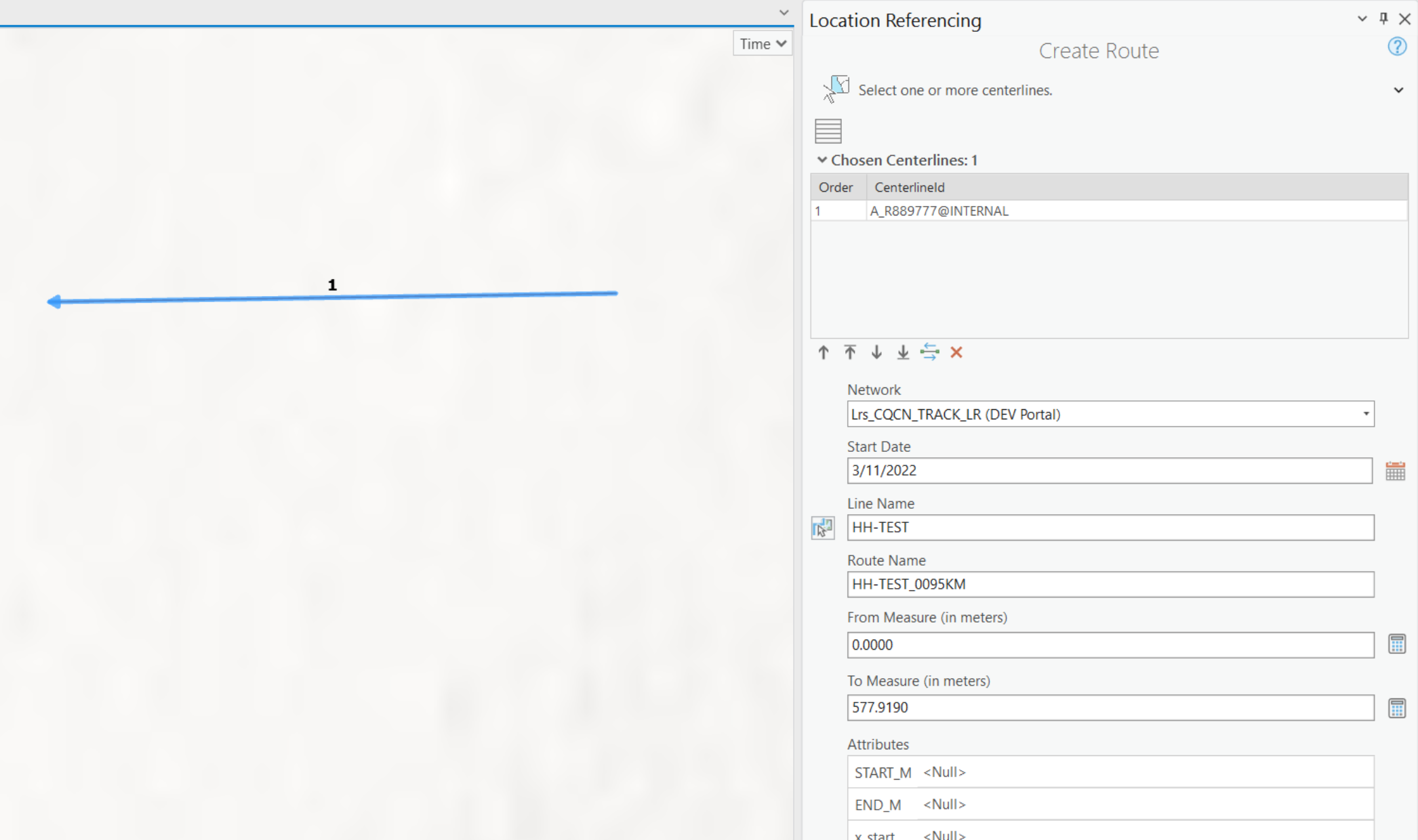
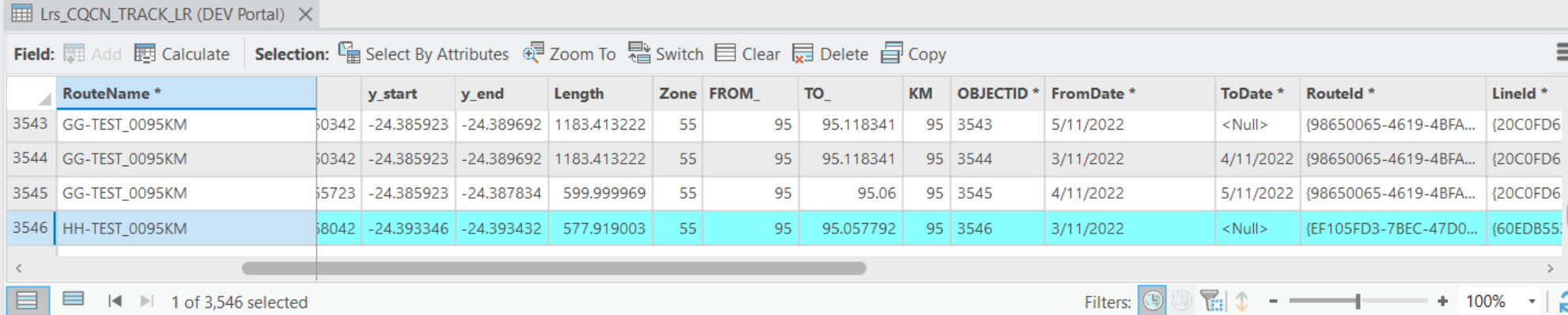
However, when I extend it by another 438m the value in the Length field remains the same as the original route
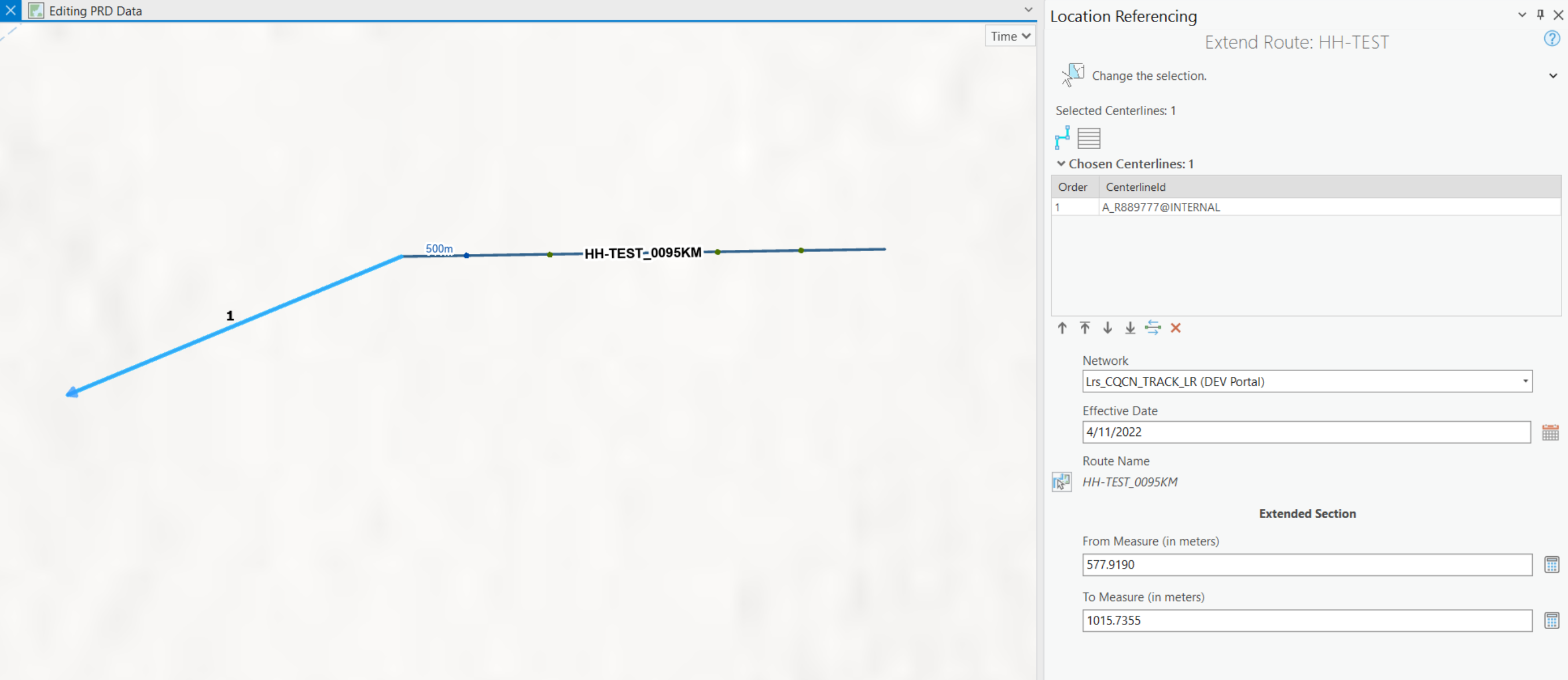
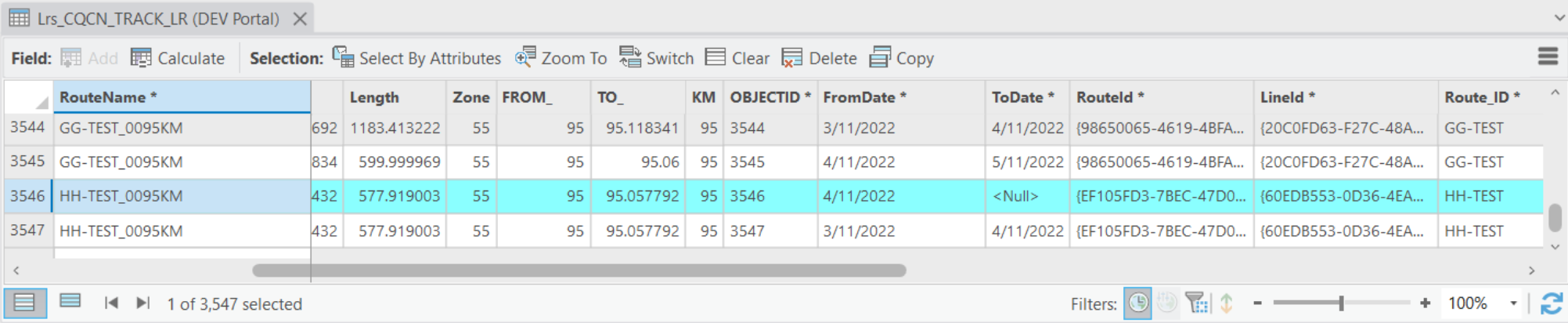
It looks to me like when the new (extended) route gets inserted/created, either the Attribute Rules are not being run, or they are being run and then the original values are being copied back over them.
Should my Length field be getting set by Attribute Rules when Extend Route is run?
These are the Arcade expressions I use on my Attribute Rules for START_M, END_M and Length respectively:
return Geometry($feature).paths[0][0].m;
return Geometry($feature).paths[-1][-1].m;
return $feature.END_M - $feature.START_M;



