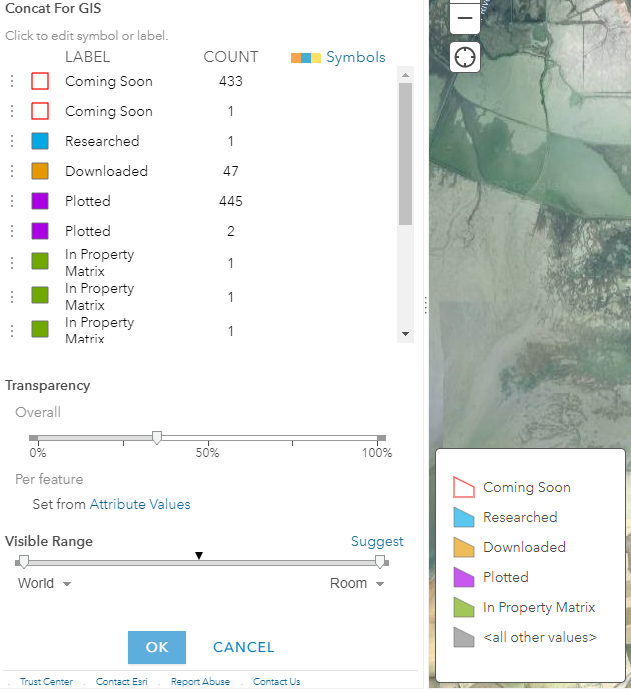
I made a simple map in ArcGIS Pro 3.0 where my one layer has combined, or grouped, symbology, like this:
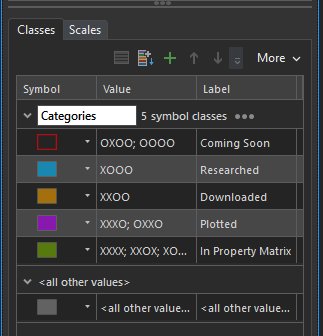
There are only five classes yet that green class at the bottom is a combination of seven items. In Pro, this works normal and as expected.
Once it gets to ArcGIS Online, the legend spaces itself out, like this:
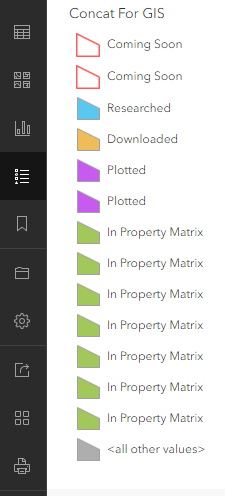
How can I combine these in AGOL so it doesn't look spread out?
Or is that not an option? It looks the same as this in the dashboard in which is it being shown.
One interesting thing is that in the Map Viewer Classic, they get combined in the legend:
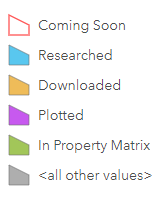
But, if I go to edit my symbology in Map Viewer Classic, they get ungrouped again: